> For the complete documentation index, see [llms.txt](https://docs.cakewallet.com/llms.txt). Markdown versions of documentation pages are available by appending `.md` to page URLs; this page is available as [Markdown](https://docs.cakewallet.com/features/advanced/address-lookup-services.md).
# Address lookup services
Cake Wallet supports sending to common address services in addition to standard addresses. Each service is triggered automatically when you type its specific format into the `Send` screen. You can enable or disable individual services under **Settings → Connections → Domain lookups**.
OpenAlias
Cake Wallet has full support for sending to OpenAlias addresses. Simply type the OpenAlias string in the `Send` screen.
To add OpenAlias records, go to your DNS provider, and add TXT records as follows (replace `[]` with your relevant info):
For XMR: `“oa1:xmr recipient_address=[]; recipient_name=[]; tx_description=[];”`
For BTC: `“oa1:btc recipient_address=[]; recipient_name=[]; tx_description=[];”`
For LTC: `“oa1:ltc recipient_address=[]; recipient_name=[]; tx_description=[];”`
You will need to enable DNSSEC, or else someone could try to impersonate you. We recommend using a host name such as `donate` or your name/pseudonym, but this is optional.
Ethereum Name Service (ENS)
Cake Wallet has full support for sending to addresses associated with ENS names that end in `.eth`. Simply type the domain in the `Send` screen.
ENS supports multicoin records, so Cake Wallet can resolve the Monero (XMR), Bitcoin (BTC), or Ethereum (ETH) address stored under an ENS name, depending on the asset you are sending.
If (and only if) you type in a string that ends in `.eth` (eg: `cakewallet.eth`), then your wallet will communicate directly with your specified Ethereum node or the default Ethereum node (if no custom node is specified).
If you would like to use ENS with a different domain, such as `.com`, `.xyz`, or any other "standard" domain, then please [configure OpenAlias](#openalias) for that domain instead.
Unstoppable Domains
Cake Wallet has full support for sending to Unstoppable Domains addresses, including all TLDs and both Ethereum and Polygon domains. Simply type the domain in the `Send` screen.
If (and only if) you type in an Unstoppable Domains TLD, then your wallet will communicate directly with the Unstoppable Domains API.
FIO Crypto Handles
Cake Wallet has full support for sending to FIO Crypto Handles. Simply type the handle in the `Send` screen.
If (and only if) you type in a string with the FIO crypto handle format (eg: `monero@wallet`), then your wallet will communicate directly with the FIO API.
Yats
Cake Wallet has full support for sending to Yats. Simply type the yat in the `Send` screen.
If (and only if) you type in an emoji, then your wallet will communicate directly with the Yat API.
Mastodon
Cake Wallet allows you to type in a Mastodon username (eg: `@cakewallet@mastodon.sdf.org`) in the `Send` screen. If that user has a correctly-formatted address in their Mastodon bio or pinned post for the relevant cryptocurrency, then the wallet will display that address. If this process does not work, make sure the address in the bio is valid and the correct length.
If (and only if) you type in a Mastodon username, then your wallet will communicate directly with the specified Mastodon server's API.
X
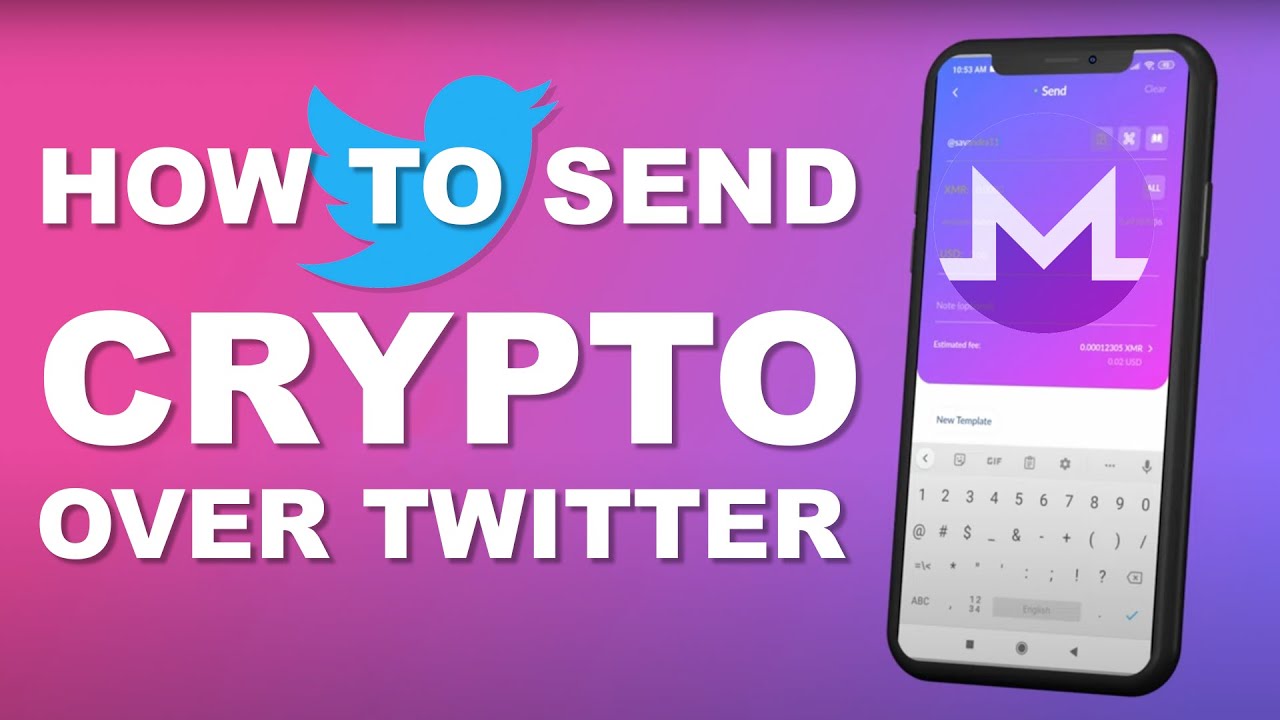
Cake Wallet allows you to type in an X username (eg: `@cake`) in the `Send` screen. If that user has a correctly-formatted address in their X bio or pinned Tweet for the relevant cryptocurrency, then the wallet will display that address. If this process does not work, make sure the address in the bio is valid and the correct length.
If (and only if) you type in an X username, then your wallet will communicate directly with the X API.
[](https://www.youtube.com/watch?v=dmj4HF8Q85Q)
BIP353
Cake Wallet supports sending to BIP353 payment instructions, which look like `user@domain.com` (they may also be written with a `₿` prefix, eg: `₿user@domain.com`). Simply type it in the `Send` screen from a Bitcoin wallet.
If (and only if) you type in a BIP353 handle, then your wallet will look up the DNSSEC-signed payment record published for that domain and use the silent payment or on-chain address it contains. This works for Bitcoin (BTC).
LNURL Pay
Cake Wallet has full support for sending to Lightning Addresses in the format `user@domain.com`. Simply type the Lightning Address in the `Send` screen from a Bitcoin wallet.
If (and only if) you type in a Lightning Address, then your wallet will fetch the LNURL-pay details from that domain's `.well-known/lnurlp` endpoint. This is used for Bitcoin Lightning payments.
ThorChain
Cake Wallet supports sending to THORChain names (THORNames). Simply type the name in the `Send` screen.
If (and only if) you type in a THORName, then your wallet will look it up through the THORChain provider and resolve the address registered for the asset you are sending. THORChain lookups are turned off by default — enable them under **Settings → Connections → Domain lookups**.
Nostr
Cake Wallet can resolve addresses from a Nostr profile using a NIP-05 identifier in the format `user@domain.tld`. Simply type the NIP-05 identifier in the `Send` screen.
If (and only if) you type in a NIP-05 identifier, then your wallet will query the associated Nostr relays and extract a correctly-formatted address for the relevant cryptocurrency from that profile's metadata.
Zcash Names
Cake Wallet has full support for sending to Zcash Names. Simply type the name (eg: `name.zec`) in the `Send` screen.
If (and only if) you type in a string ending in `.zec` or `.zcash`, then your wallet will resolve the associated Zcash (ZEC) address.
Zcash.me
Cake Wallet supports sending to Zcash.me profiles. Simply type the profile in the format `zcash.me/username` in the `Send` screen.
If (and only if) you type in a `zcash.me/` link, then your wallet will fetch that profile and use the Zcash (ZEC) address it publishes.
Zano Alias
Cake Wallet has full support for sending to Zano aliases. Simply type the alias with an `@` prefix (eg: `@alias`) in the `Send` screen.
If (and only if) you type in an `@`-prefixed alias, then your wallet will resolve the associated Zano (ZANO) address.
---
# Agent Instructions
This documentation is published with GitBook. GitBook is the documentation platform designed so that both humans and AI agents can read, navigate, and reason over technical content effectively. Learn more at gitbook.com.
## Querying This Documentation
If you need additional information that is not directly available in this page, you can query the documentation dynamically by asking a question.
Perform an HTTP GET request on the current page URL with the `ask` query parameter, and the optional `goal` query parameter:
```
GET https://docs.cakewallet.com/features/advanced/address-lookup-services.md?ask=&goal=
```
`ask` is the immediate question: it should be specific, self-contained, and written in natural language.
`goal` is optional and describes the broader end goal you are ultimately trying to accomplish on behalf of the user. GitBook uses it to tailor the answer towards what is most useful for that goal.
The response will contain a direct answer to the question and relevant excerpts and sources from the documentation.
Use this mechanism when the answer is not explicitly present in the current page, you need clarification or additional context, or you want to retrieve related documentation sections.