For the complete documentation index, see llms.txt. This page is also available as Markdown.
Why is my Available Balance 0?
If your balance shows 0, a lower number than you expect, or a gap between your Available and Full balance, it's usually one of two normal situations: your wallet is still syncing, or part of your balance is temporarily locked while a recent transaction confirms. Neither means your funds are lost.
Available vs. Full balance
Your Full Balance is the total amount in your wallet, including funds that aren't fully confirmed yet. Your Available Balance is the portion you can spend right now. A temporary gap between the two is normal.
On Monero specifically: when you send a transaction, the leftover from the coins you spent is returned to your wallet as change, and that change is locked for 10 blocks (about 20 minutes) before it becomes spendable. So right after you send, your Available Balance can drop — sometimes to 0 — even though your Full Balance is unchanged. This is a Monero protocol rule, not something Cake Wallet controls.
On any coin, funds you've just received also count toward your Full Balance right away but only become spendable (Available) once they have enough network confirmations.
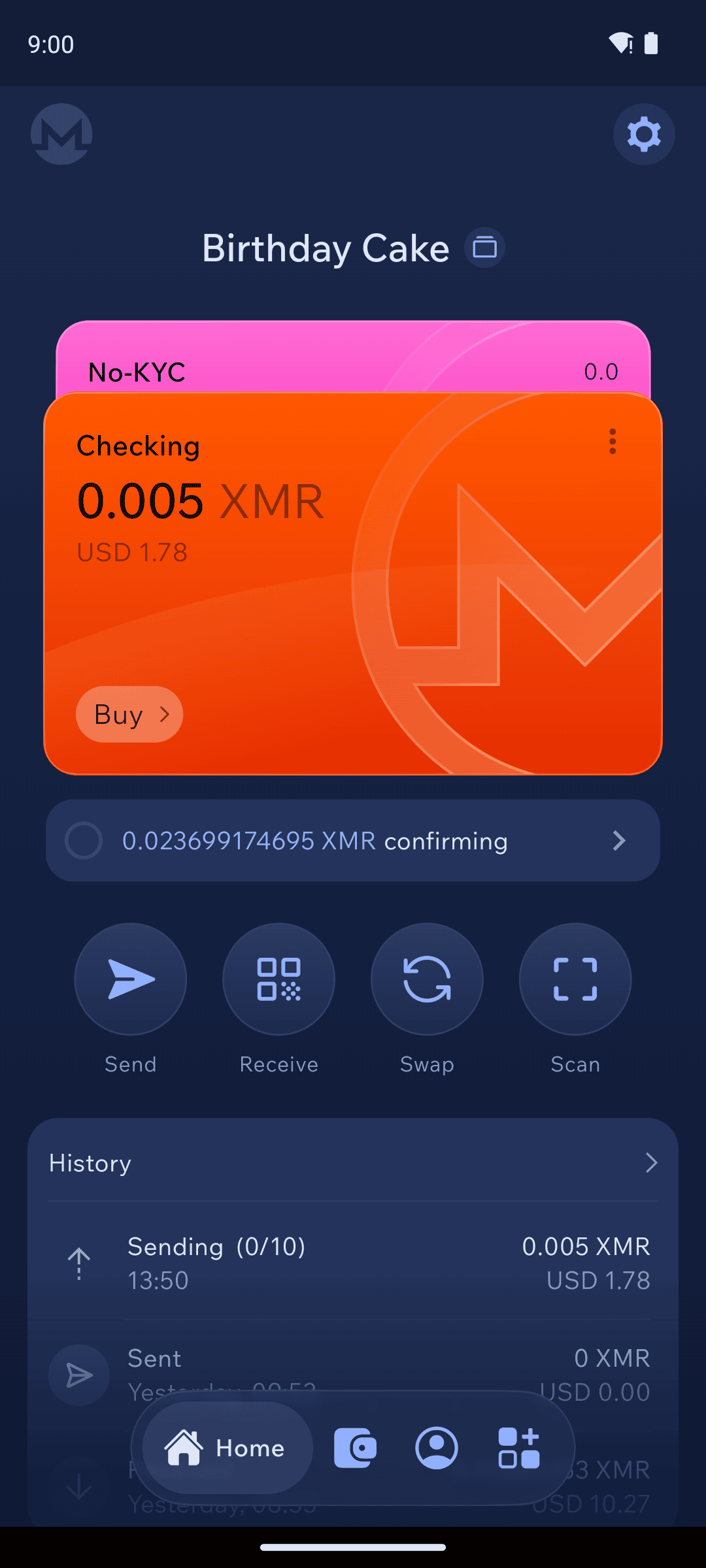
In the example below, the amount shown as confirming is the locked portion — it isn't spendable yet, but it will be once it confirms.
Monero home showing a confirming (locked) amount below the available balance
A balance of 0 while the wallet is still syncing
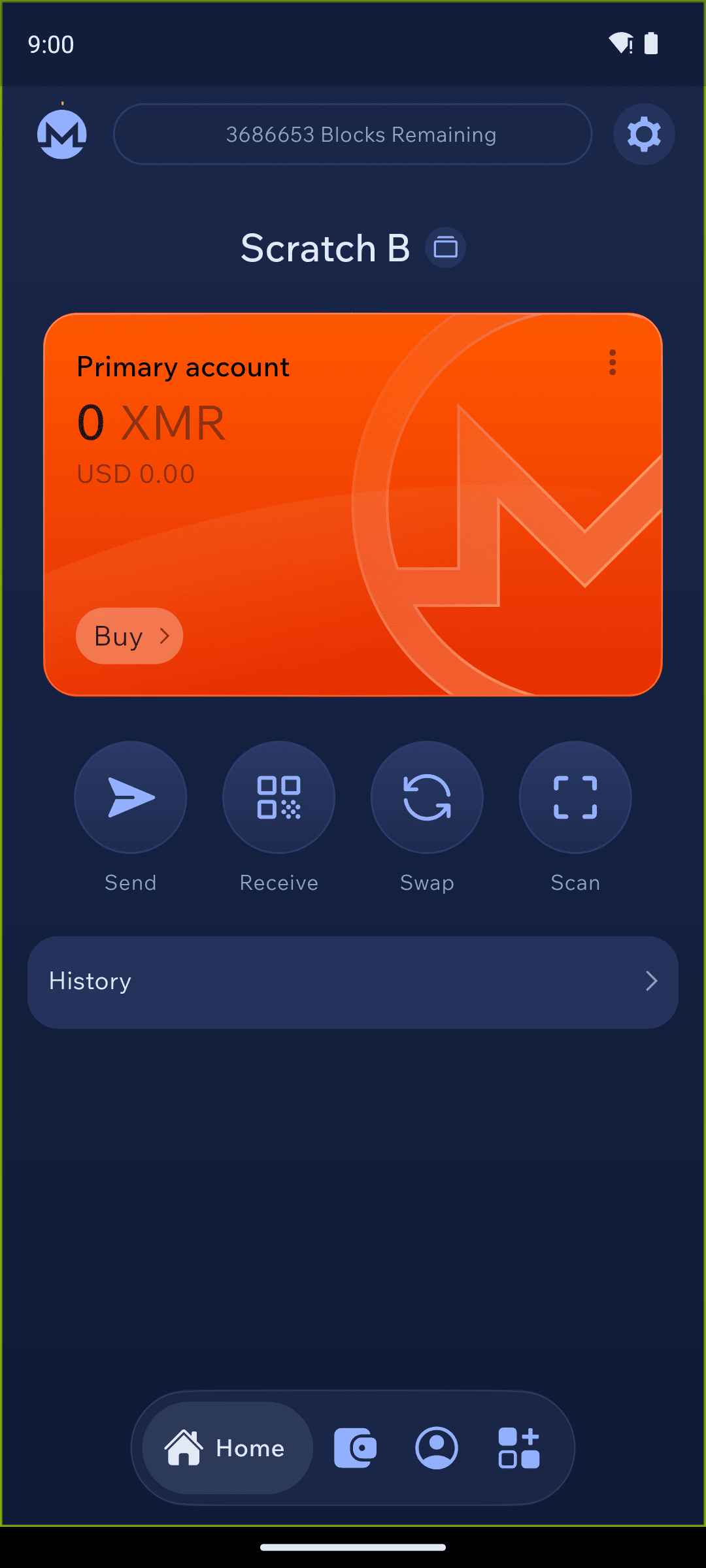
If both your Available and Full balance read 0, or only part of your history has loaded, your wallet is most likely still scanning the blockchain. A wallet can only display the correct balance once it is fully synced. When syncing has finished, the sync area at the top of the screen is empty — no status text and no dot. That empty space is how you know your wallet is fully synced.
The status bar showing blocks remaining while the wallet scans
If the wallet has already finished syncing but the balance still looks wrong, or funds you know arrived aren't there, see Why are my funds not appearing? — for Monero, a rescan is the usual fix.