

Monero
Official Website: getmonero.org
Monero (XMR) is the leading cryptocurrency focused on private and censorship-resistant transactions. It is a private, decentralized cryptocurrency that keeps your finances confidential and secure.
The majority of existing cryptocurrencies, including Bitcoin and Ethereum, have transparent blockchains. Transactions can be verified and/or traced by anyone in the world. This means that the sending and receiving addresses of these transactions could potentially be linked to real-world identities.
Monero, on the other hand, uses various technologies to ensure the privacy of its users.
Seed Types
New Monero wallets use the 16-word Polyseed by default. On the creation screen you can also choose the 25-word legacy seed or a 12-word BIP39 seed. Under Advanced Settings you can additionally set a seed passphrase.
Only BIP39 Monero wallets can join wallet groups. Polyseed and legacy 25-word wallets cannot.
Syncing
The most common issue with Monero is an unsynchronized wallet.
To perform most interactions with your wallet, your wallet must be fully synchronized. There will be a green dot at the top of your home screen.
If you are stuck on the same block while syncing for a while, or it says disconnected, you should try another node or another internet connection.
If your wallet is not fully synced, your wallet balance may be incorrect, and you won't be able to send transactions. Wait until your wallet is fully synced before proceeding. Keep the app open with the screen on to keep syncing.
To keep your wallet up to date while the app is closed, enable background sync. Background sync is available for Monero only.
Accounts and subaddresses
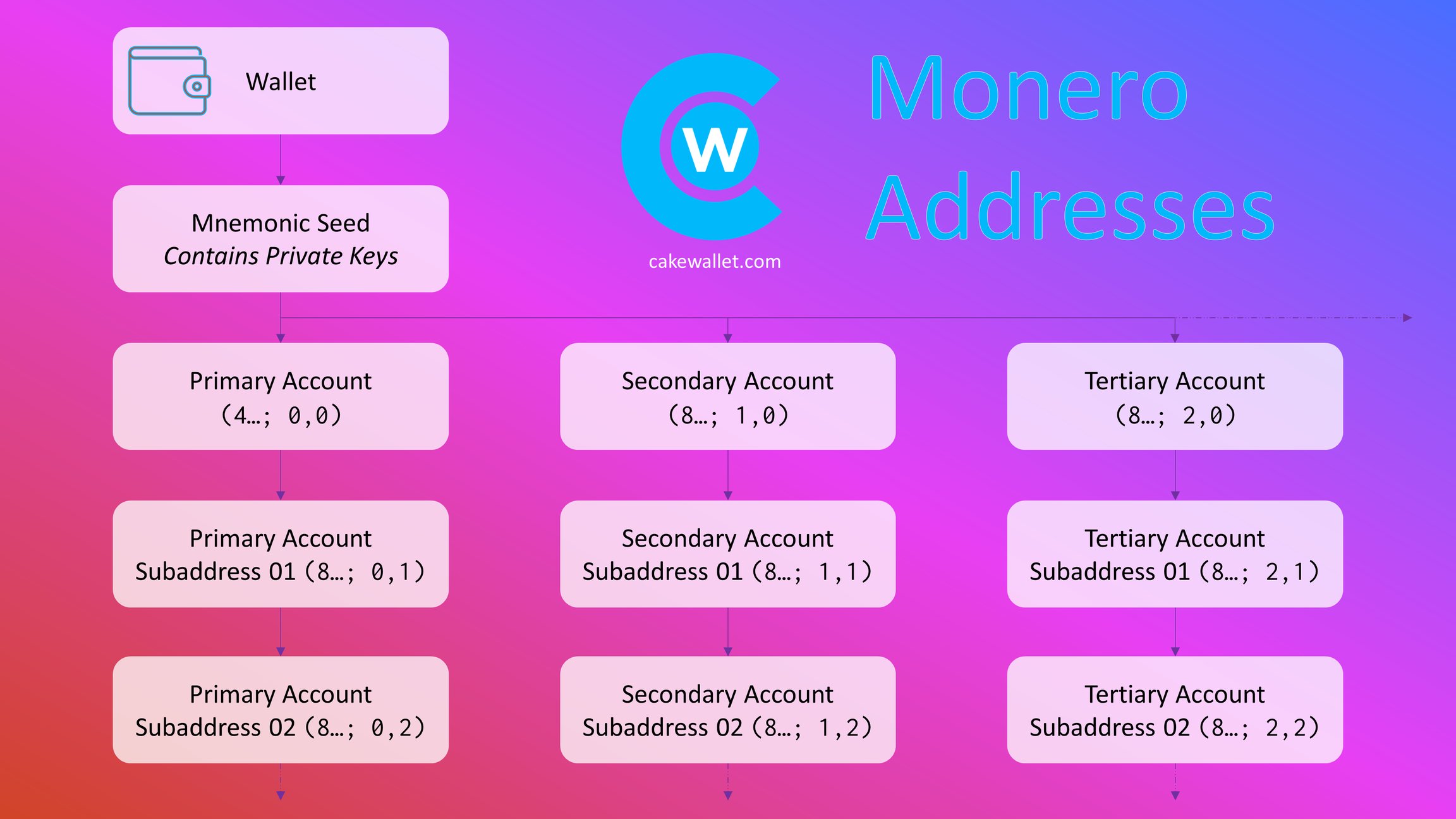
Monero organizes your funds into accounts and subaddresses. This mirrors the Receive page: accounts are separate buckets that each track their own balance and transactions, and subaddresses are generated automatically within an account.
Monero subaddresses
A Monero subaddress is a unique, unlinkable address that can be generated on-demand. Coins sent to it still arrive in your main wallet, but the sender cannot determine your wallet's main address. Cake Wallet automatically generates a new subaddress after each one is used.
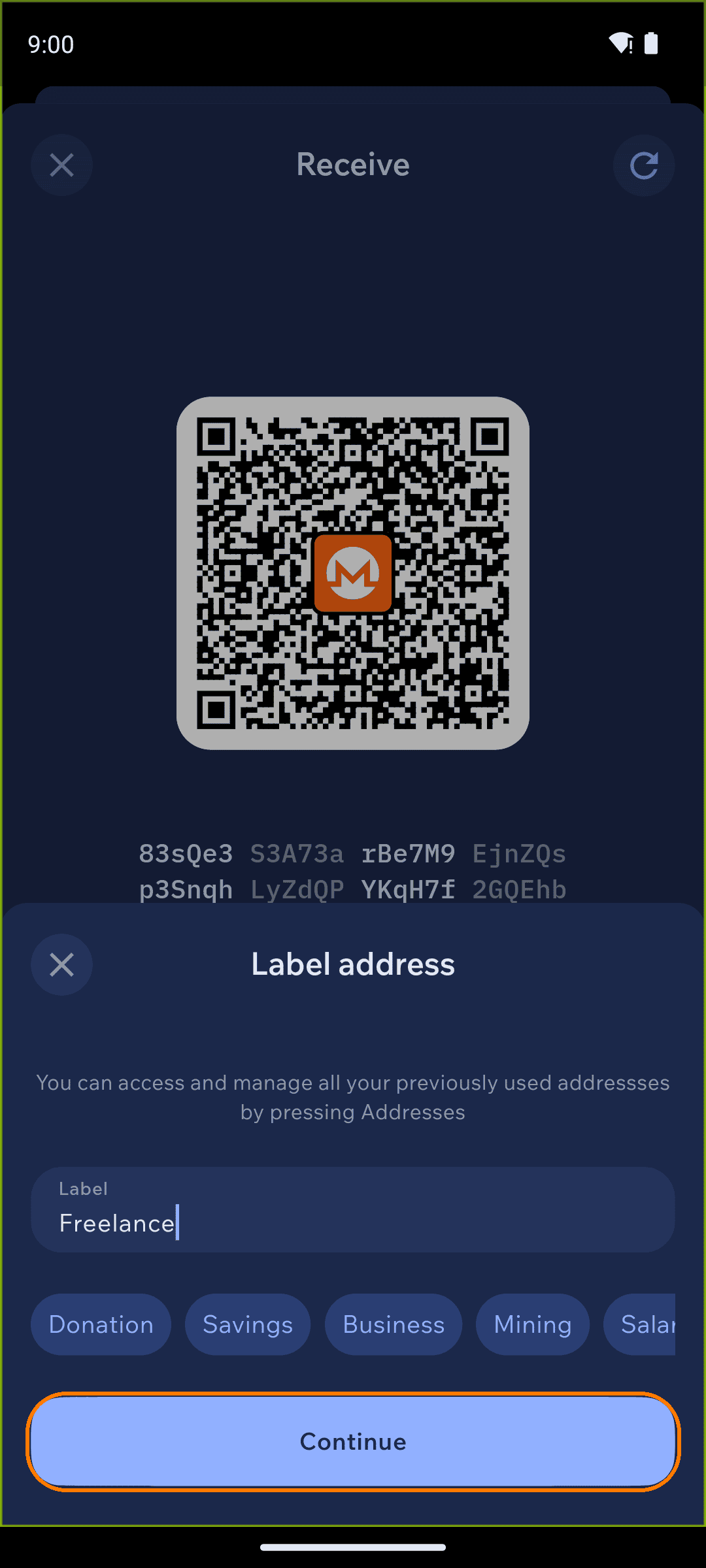
To manage subaddresses yourself, open Privacy settings and disable Auto generate subaddresses. Then, on the Receive screen, tap the refresh icon in the top right to generate a fresh subaddress, and tap the address label tag to open the Label address sheet, where you can name the subaddress and tap Continue. Subaddresses always start with 8; your main address starts with 4.
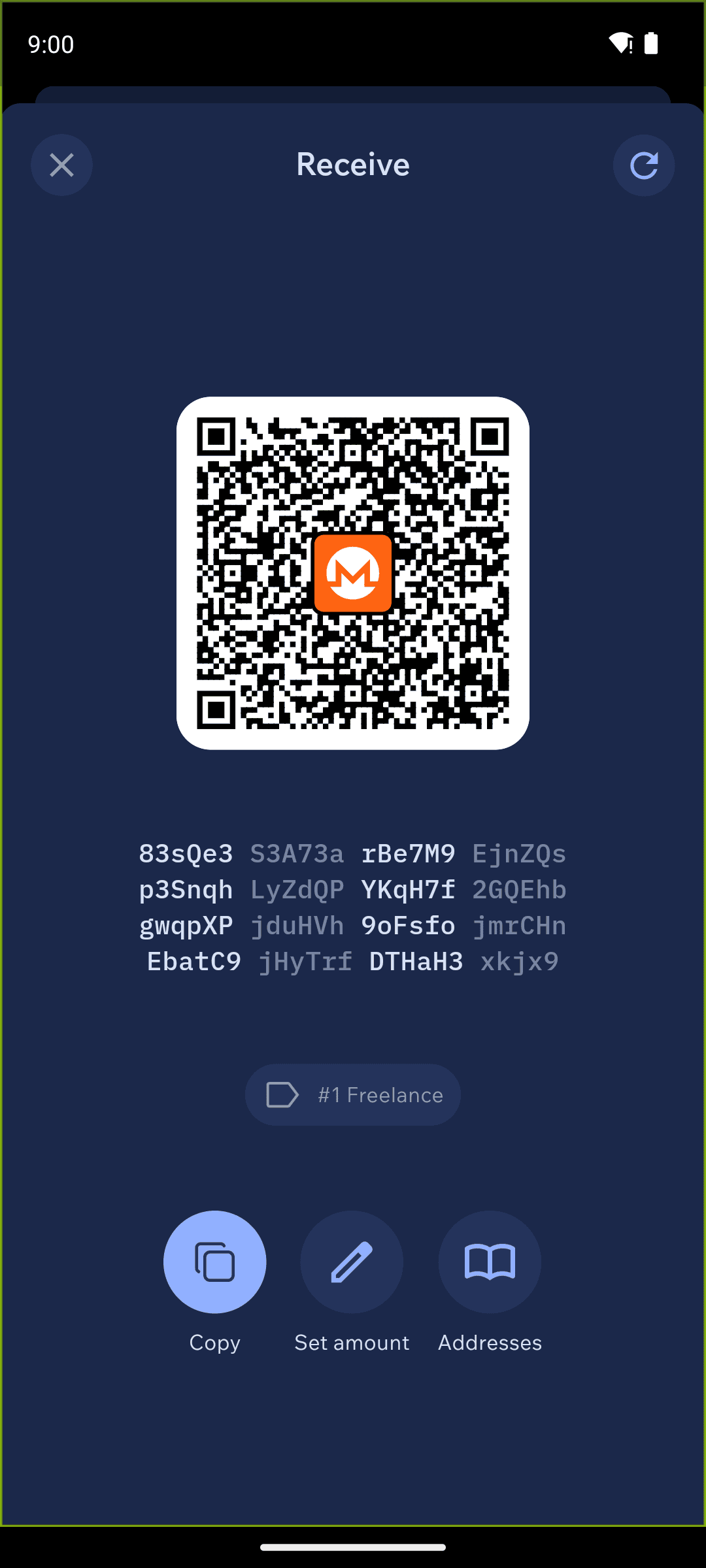
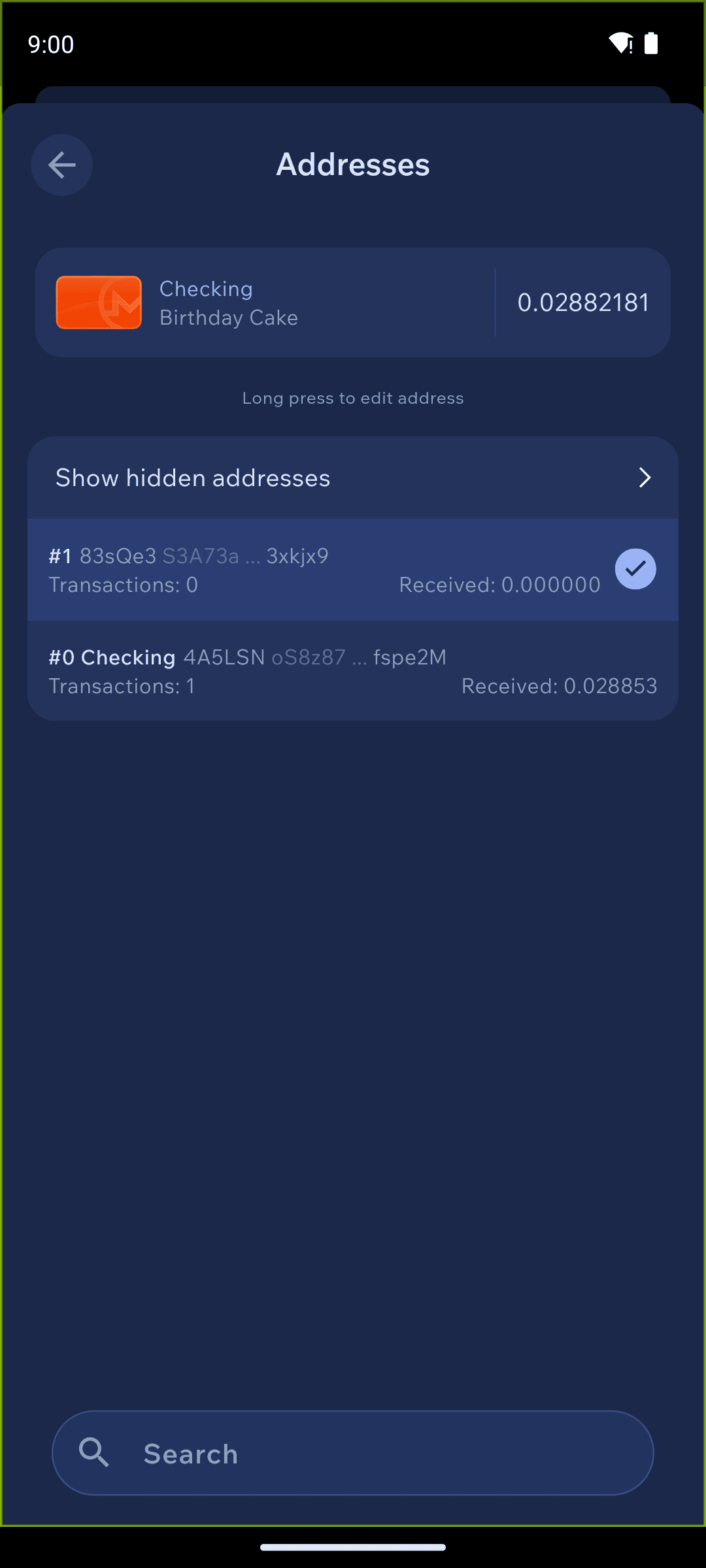
You can review all of an account's subaddresses under Accounts and subaddresses → Addresses.
Monero accounts
Each Monero wallet can have several accounts. We recommend this feature for advanced users only. Open the Wallet Accounts view by tapping the accounts icon next to your wallet name (or tap Receive, then Accounts and subaddresses). Your accounts appear as a stack of cards, with the currently active account in front.
To switch accounts at any time, on your home screen tap the card of the account behind the active one — it moves to the front and becomes your active account.
In the Wallet Accounts settings, you can use Add Account to create another account, and open an account's Edit Account screen to rename it. You can have unlimited accounts, and each account can have unlimited subaddresses. The first indexed subaddress of each account (besides the main account) starts with an 8.
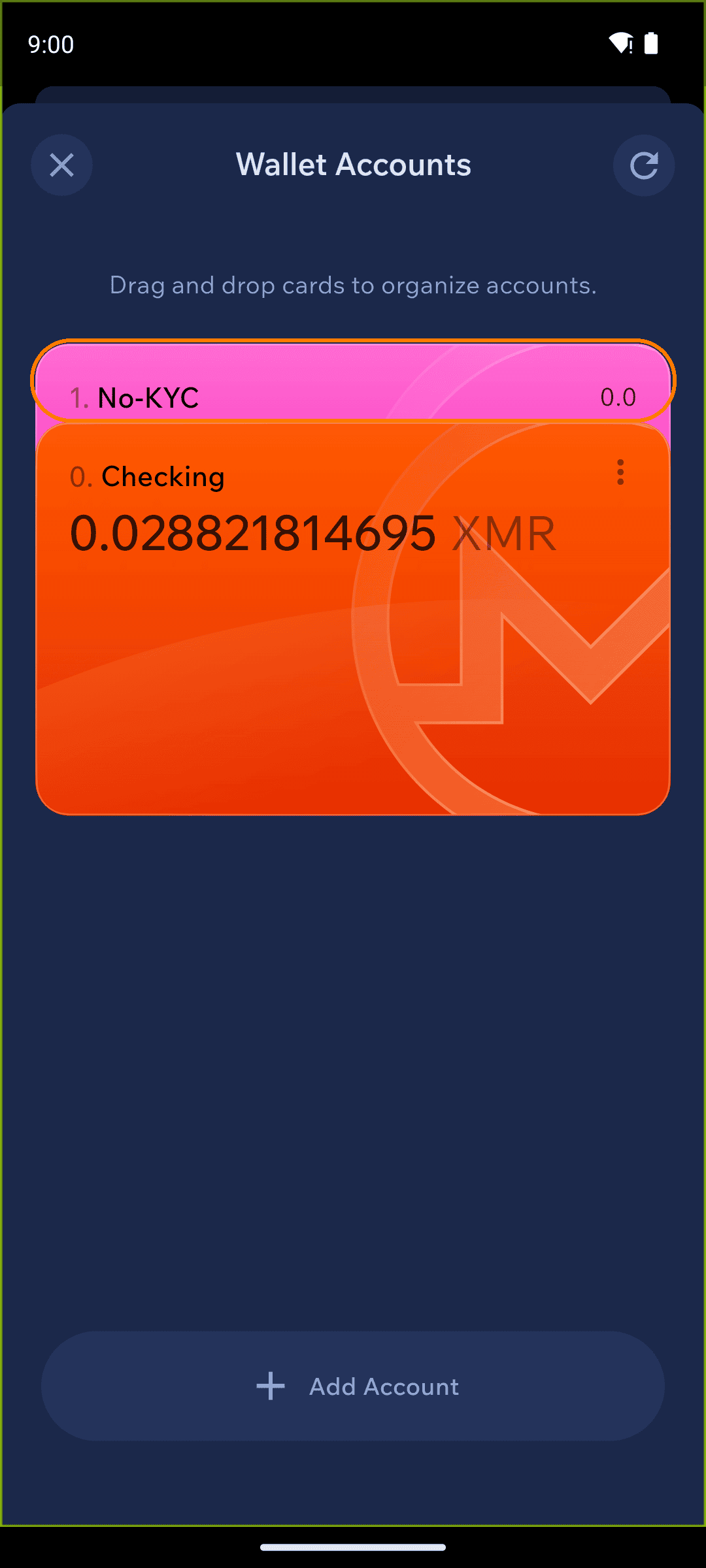
Balances and transactions for each Monero account are shown separately. While you're in one account, you can't see the balance and transactions of another — switch accounts to view each one. Each account's balance also appears in the account list.
View-only wallet
It's possible to create a Monero view-only wallet. You need the following information:
Main Monero address (
4...)Private view key
Restore height (recommended, not required)
Restore from keys following these steps. Leave the Spend key (private) field blank. Let the blockchain sync fully. After syncing, you should see all incoming transactions ( including incoming change). View-only wallets usually do not show an accurate balance (they cannot be relied upon for this purpose), and they will not show some types of outgoing transactions.
Monero fee levels
Cake Wallet follows the standard wallet2 fee levels. We recommend leaving your Cake Wallet fee for Monero as Automatic, the default. In the app the priorities appear as Slow / Automatic (default) / Medium / Fast / Fastest.
A higher priority pays a higher fee and is generally confirmed sooner; a lower priority is cheaper but can take longer to confirm. Automatic picks a fee based on current network activity, which is why we recommend it for most transactions.
Automatic
0
default
Automatic
Slow
1
unimportant
Slow
Medium
2
normal
Normal
Fast
3
elevated
Fast
Fastest
4
priority
Fastest
Monero save recipient addresses
Monero addresses (unlike Bitcoin) are never stored on the blockchain. When you send Monero to a recipient, the address you send to can only be recorded locally, on your device — never on the blockchain. So if you restore a Monero wallet from a seed or from keys, you will not see the Monero addresses that you sent funds to.
In Cake Wallet, saving that local record is on by default. To turn it off, go to Settings → Privacy and untick Save recipient address.
While Save recipient address is off — the recipient address of every Monero transaction you send is not stored at all. It is not on the blockchain and it is not on your device, so it is gone permanently the moment you send.
This matters if you ever need to prove that you made a payment. With no saved recipient address there is no local record to point to, and the Monero blockchain has no record either.
If you want to be able to look up or prove who you paid, keep Save recipient address on. Turning it off is the more private choice, and is recommended only if you understand that you are giving up the record.
Auto generate subaddresses
In privacy settings, you can enable or disable the automatic generation of Monero subaddresses. This feature is enabled by default.
When enabled:
You can still switch between different accounts.
For each account, the receive screen displays the first unused subaddress after the last manually labeled or last used subaddress.
Your address book collapses to one entry per account, linked to the latest subaddress for that account.
You can disable this feature in settings. Doing so restores the earlier behavior: you manually label and switch to each subaddress.
Last updated