For the complete documentation index, see llms.txt. This page is also available as Markdown.
Wallet groups
A wallet group lets one seed back a wallet for each currency you use — write down one set of words, and you've backed up your Bitcoin, Litecoin, Ethereum, and more. Each group can hold a single wallet of each currency type.
Only BIP39 wallets can share a seed. Monero wallets created with the default Polyseed (16 words) or legacy (25 words) seed can't join a group — if you want your Monero wallet in a group, create it with the BIP39 seed type instead.
Add a wallet to a group
1
Create a new wallet
Open the Wallets tab from the bottom bar and tap + Create New Wallet, then pick the currency you want to add.
Wallets screen with Create New Wallet highlighted
2
Choose Wallet Group
Cake Wallet asks whether this wallet should share a seed with an existing wallet (Choose Wallet Group) or get a brand-new seed (Create New Seed).
Wallet group explainer with Choose Wallet Group highlighted
3
Pick the group
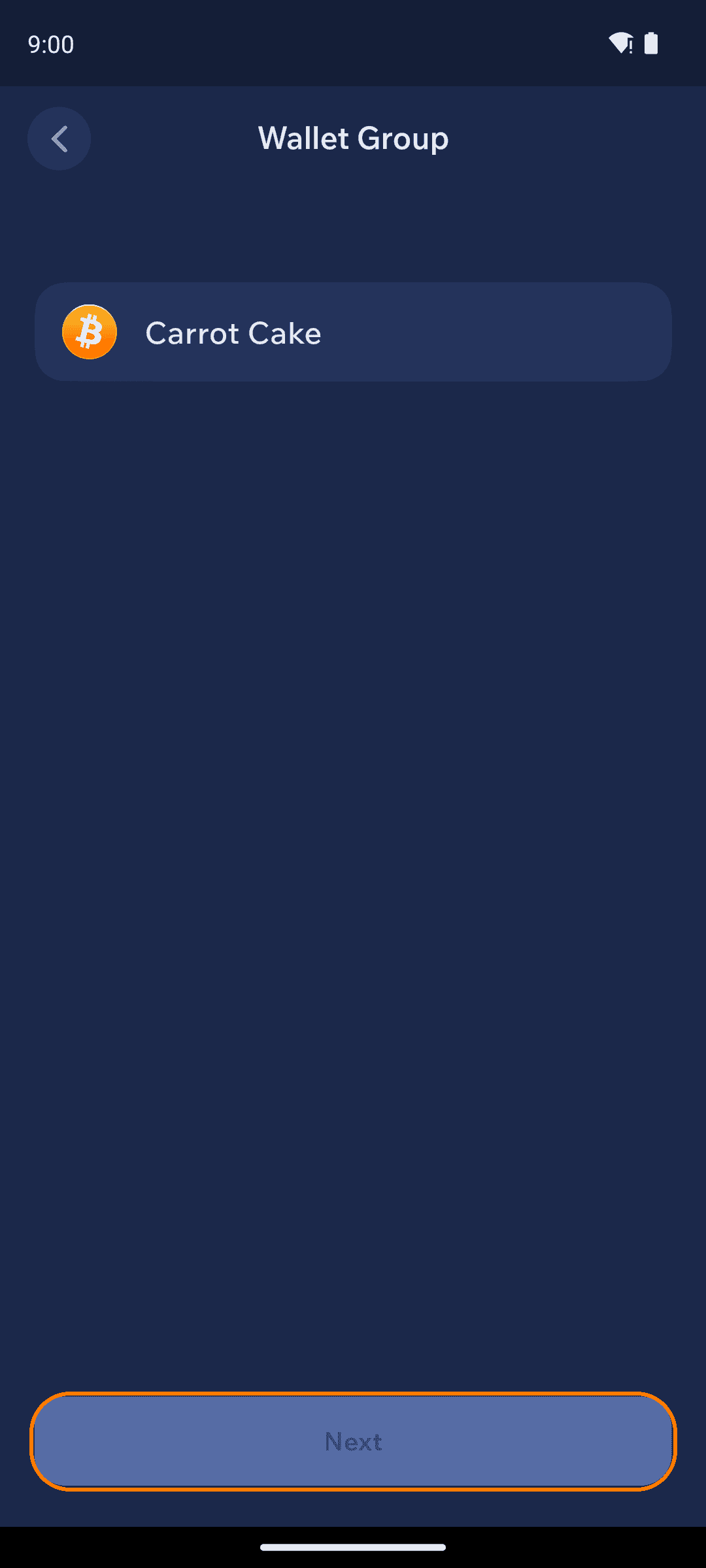
Select the group (or wallet) you want to share a seed with and tap Next.
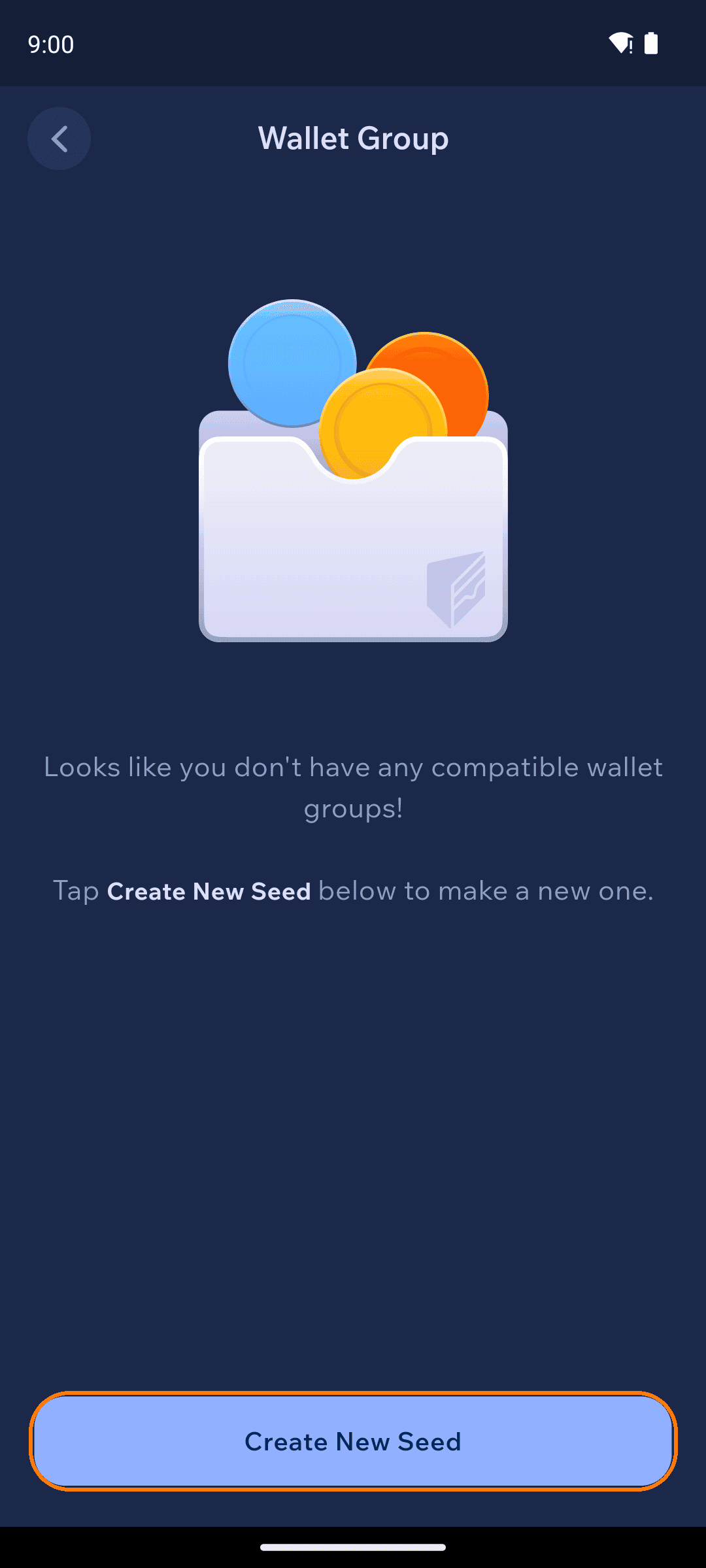
If Cake Wallet says you don't have any compatible wallet groups, your existing wallets use seed types that can't be shared (for example, a Polyseed Monero wallet) — tap Create New Seed to start a BIP39 group instead.
Choosing an existing wallet group
No compatible wallet groups message
4
Name it and you're done
Name the new wallet and tap Next. Because it shares an existing seed, there's nothing new to write down — Cake Wallet confirms you're reusing a seed you've already backed up, with the option to verify it again.
Naming the new wallet
Existing-seed confirmation screen
Managing groups
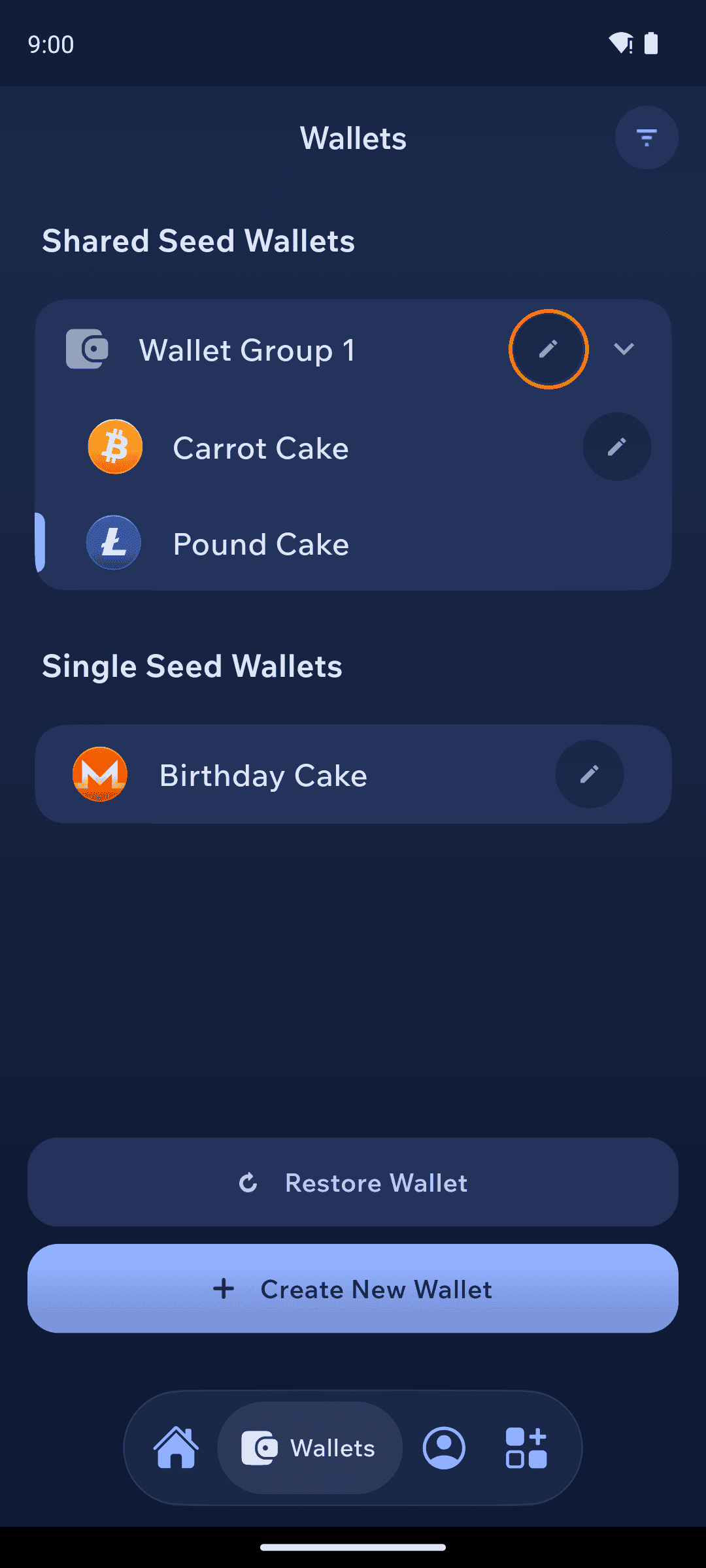
The Wallets tab lists your wallets under Shared Seed Wallets (grouped, e.g. "Wallet Group 1") and Single Seed Wallets. Tap the pencil icon to rename a group or a wallet.
Wallets screen showing a shared seed group and a single seed wallet
Restoring a group
One seed restores every wallet in the group: restore it once for any currency, then add the other currencies to the same group with Create New Wallet → Choose Wallet Group — no extra words to keep track of.
Back up the group's seed once and keep it safe — it controls every wallet in the group. See Create backup for full-app backups.