

Customize the app
Cake Wallet's Display settings control the app's appearance along with a few handy behavior options — theme, language, fiat currency, and more.
Open Display settings
Open the Settings gear, then tap Display.
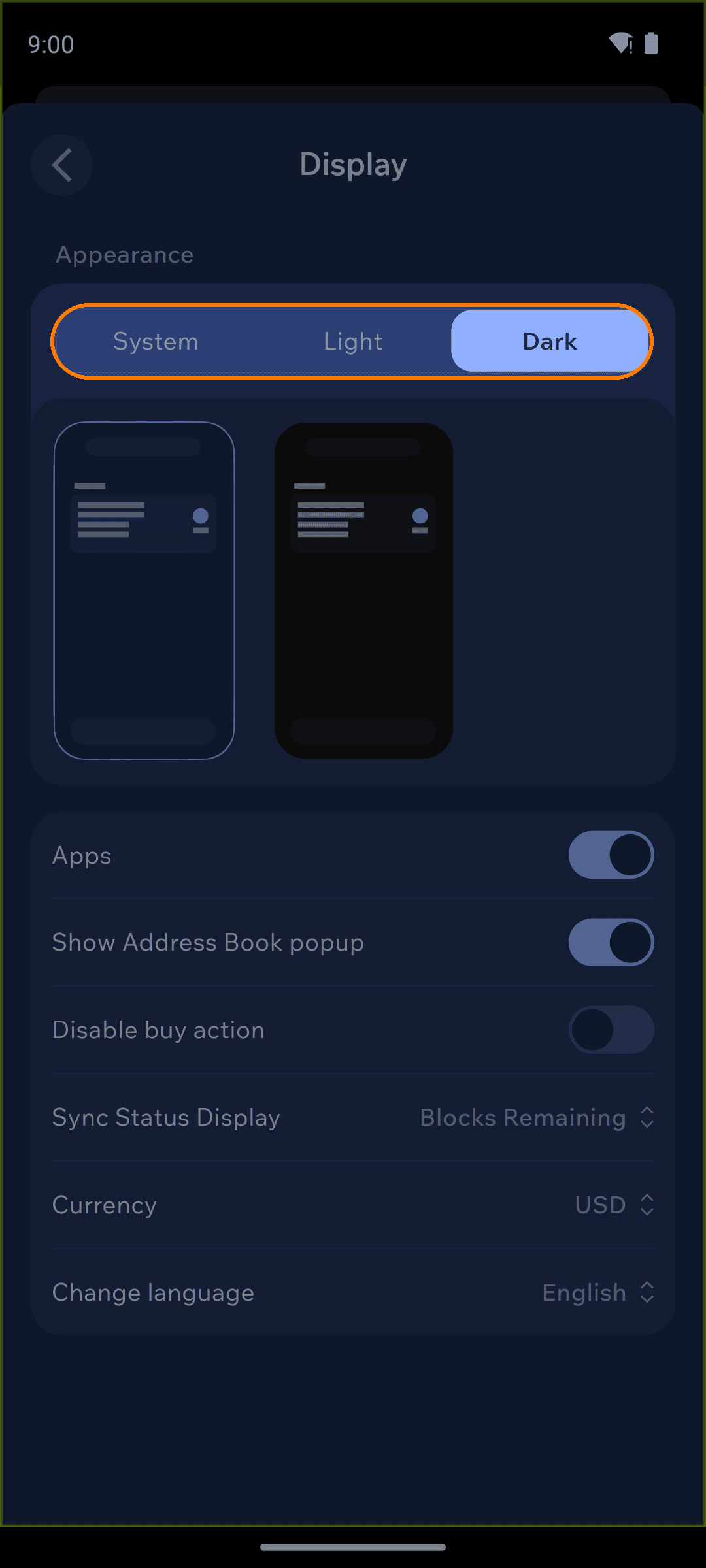
Appearance
At the top, choose a theme mode:
System — follow your device's light/dark setting
Light — always light
Dark — always dark
When a dark mode is active, the picker just below lets you choose between the standard Dark (navy) theme and a Black (OLED) theme that uses true black to save battery on OLED screens.
Selecting the Black theme reveals two extra controls that are hidden for every other theme. Accent color recolors the app's highlights, with a choice of Cake Primary, BCH Green, Bitcoin Yellow, Monero Orange, Tron Red, or Frosting Purple. Below it, the OLED mode switch drives the interface to true black for the deepest contrast and the best battery savings on OLED displays. Switch back to Light or the standard Dark theme and both rows disappear again.
Display options
Below Appearance you'll find:
Apps — show or hide the Apps section on the dashboard
Show Address Book popup — offer to save new addresses after you send
Disable buy action — hide the Buy button
Sync Status Display — how sync progress is shown (for example, Blocks Remaining)
Bitcoin Amount Display — on Bitcoin wallets, show amounts in BTC or sats
Currency — the fiat currency used for value estimates
Change language — the app's display language