

Privacy settings
Cake Wallet is private by default, but it also hands you the controls. This page walks through every privacy-related setting so you can decide what fits your threat model — each one lists what it does, what it protects, and our recommendation.
Settings live in two places: Settings → Wallet settings → Privacy (per-wallet behavior) and Settings → App settings → Connections (how the app reaches the network).
Privacy settings (per wallet)
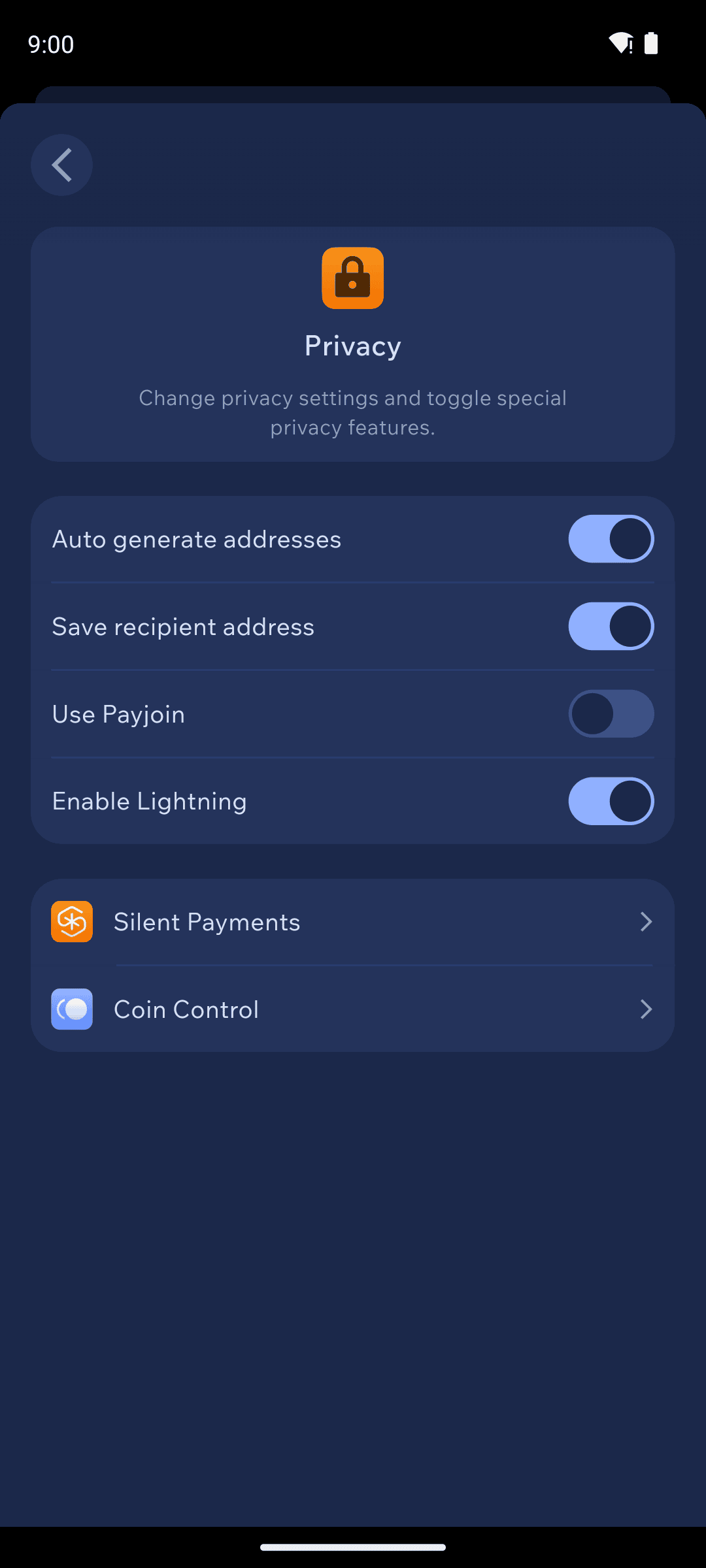
Auto generate addresses — hands out a fresh receiving address after each payment so observers can't tie your transactions together. Recommended on (the default) for Monero, Bitcoin, Litecoin, and other rotating-address coins.
Save recipient address — stores the addresses you send to in each transaction's local details. Handy for your own records, but it keeps data on your device; turn it off if you'd rather Cake Wallet remember nothing about where you sent funds.
Use Payjoin — improves Bitcoin transaction privacy by having both sender and receiver contribute inputs. See Payjoin (Bitcoin, mobile).
Enable Lightning — turns on the Bitcoin Lightning balance and address.
Silent Payments, MWEB, Coin Control — open their own screens; see Silent Payments, Litecoin MWEB, and Coin control.
Connections settings (whole app)
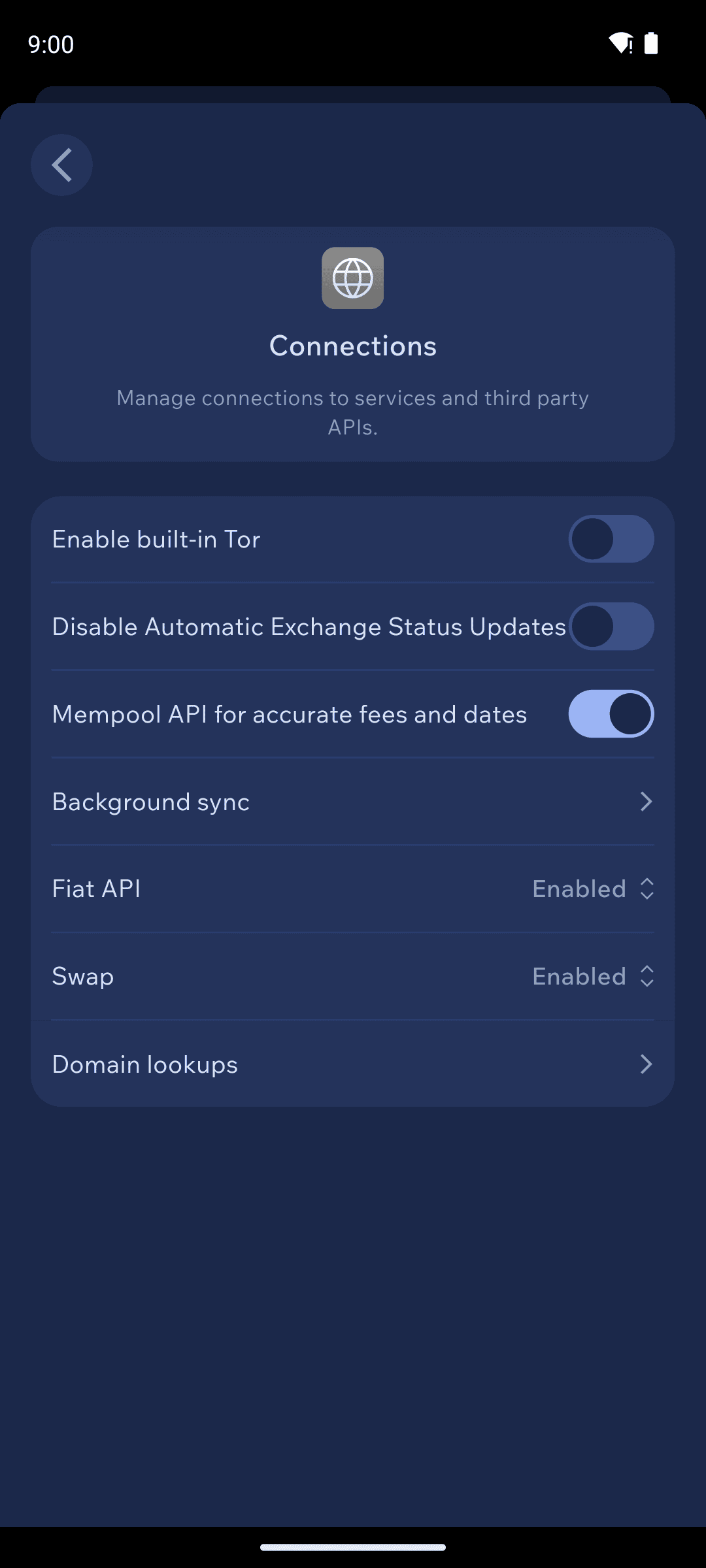
Enable built-in Tor — routes the app's connections through Tor, hiding your IP from nodes and services. See Built-in Tor.
Fiat API — controls how Cake Wallet fetches prices to show fiat values. Set to
Tor onlyto fetch privately, orDisabledto stop fetching prices entirely (your balances then show only in crypto).Swap — the same three modes for exchange-rate lookups: enabled, Tor-only, or disabled.
Mempool API — fetches accurate Bitcoin fees and confirmation times. Disabling it improves privacy slightly but makes fee estimates rougher.
Disable Automatic Exchange Status Updates — stops the app from polling providers for your trades' status in the background.
Background sync — keeps Monero wallets synced while the app is closed (Android). See Background sync.
Use Blink Protection
Although it protects your transactions rather than your connections, the Use Blink Protection toggle lives on the Connections screen rather than the per-wallet Privacy screen. When it is on, Cake Wallet broadcasts your signed transaction to Blink's private relay instead of straight into the public mempool, so MEV searchers cannot see and front-run it while it waits to be mined; if the relay is unreachable the wallet quietly falls back to your normal node. The toggle is on by default and only appears for Ethereum and Base wallets, the two chains the relay supports. It is also offered on the Privacy settings screen shown while you create or restore a wallet.
Block explorer history
Also on the Connections screen, a set of six toggles controls whether Cake Wallet fetches transaction history from a third-party block explorer: Etherscan history, PolygonScan history, BaseScan History, ArbiScan History, BSCScan History, and TronGrid history. Each is on by default, and each appears only when the open wallet is on the matching chain. Querying an explorer means handing your addresses to that provider, so turn a toggle off if you would rather that operator not learn which addresses you hold — at the cost of a less complete history for that chain.
Domain lookups
Connections → Domain lookups lets you turn individual address-resolution services on or off — ENS, OpenAlias, Unstoppable Domains, and the rest. Each one, when enabled, sends the name you're paying to that service to resolve it into an address. Turn off any you don't use. See Address lookup services.
Set privacy before a wallet ever connects
When you create or restore a wallet, the Privacy settings screen lets you choose a custom node, Blink Protection, and fiat/exchange modes before the wallet makes its first connection — useful if you never want it touching default infrastructure. The hardening guide covers a full privacy-first setup.
Last updated