For the complete documentation index, see llms.txt. This page is also available as Markdown.
Receive funds
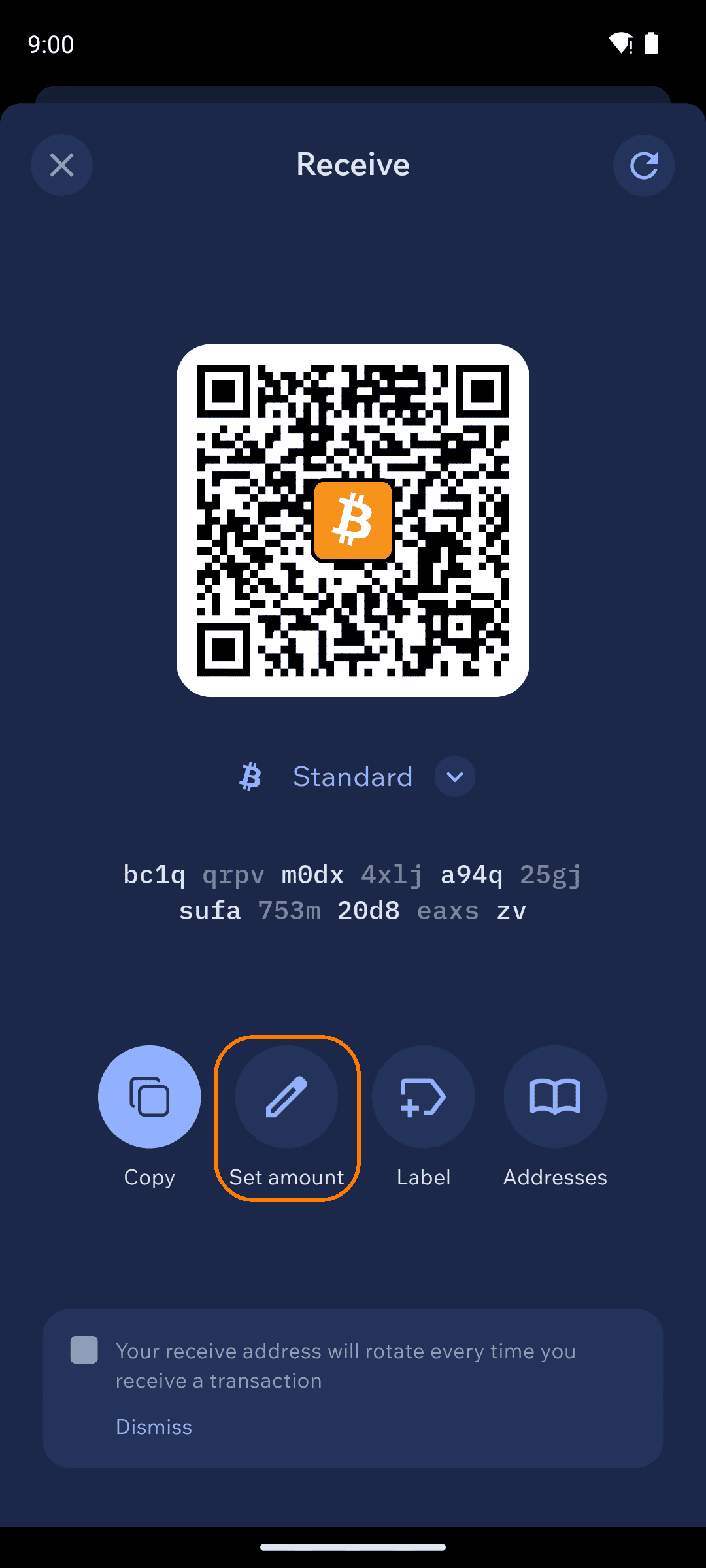
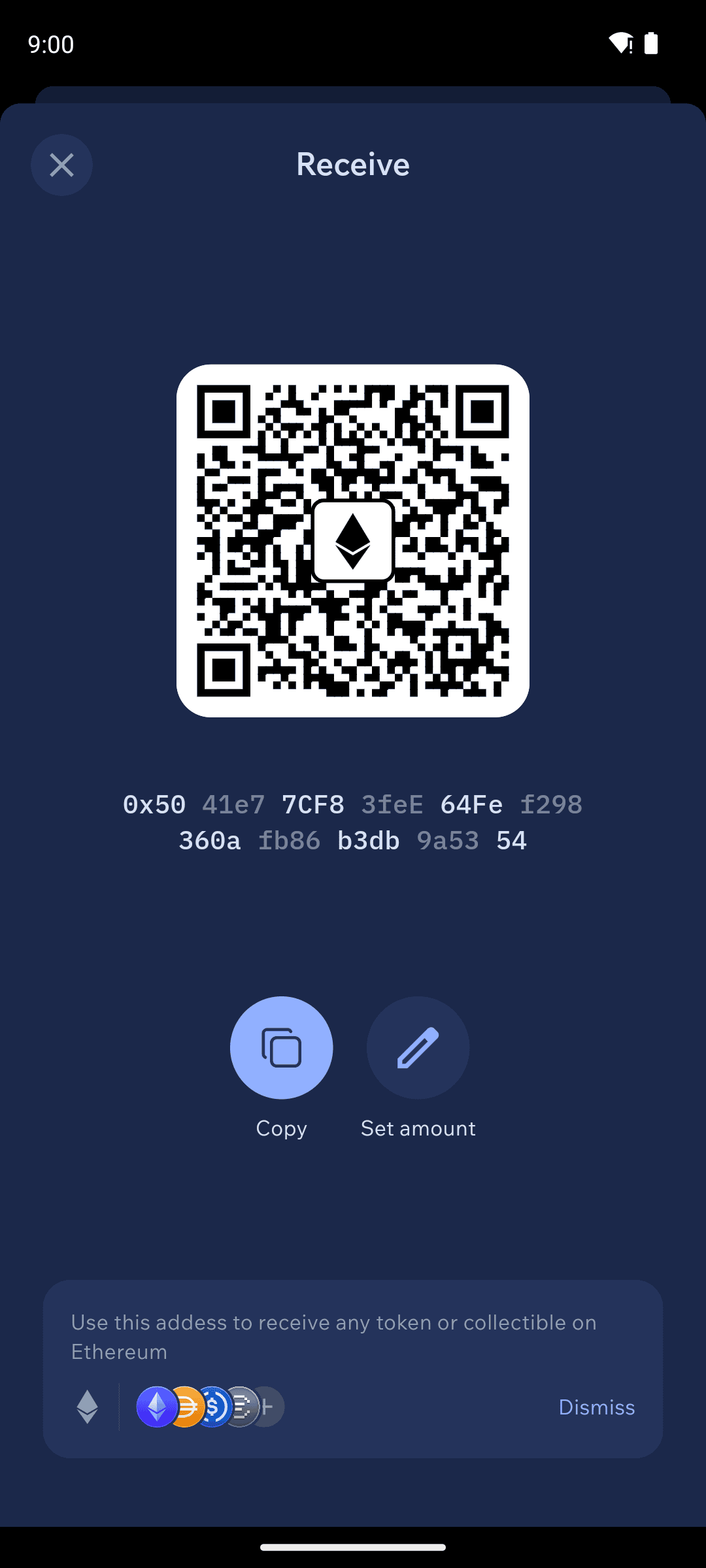
Tap Receive on the home screen and you get your address as text and a QR code — copy it, share it, or let the sender scan it. Use Set amount to embed a specific amount in the QR so the sender's wallet fills it in automatically.
Receive screen with QR and actions
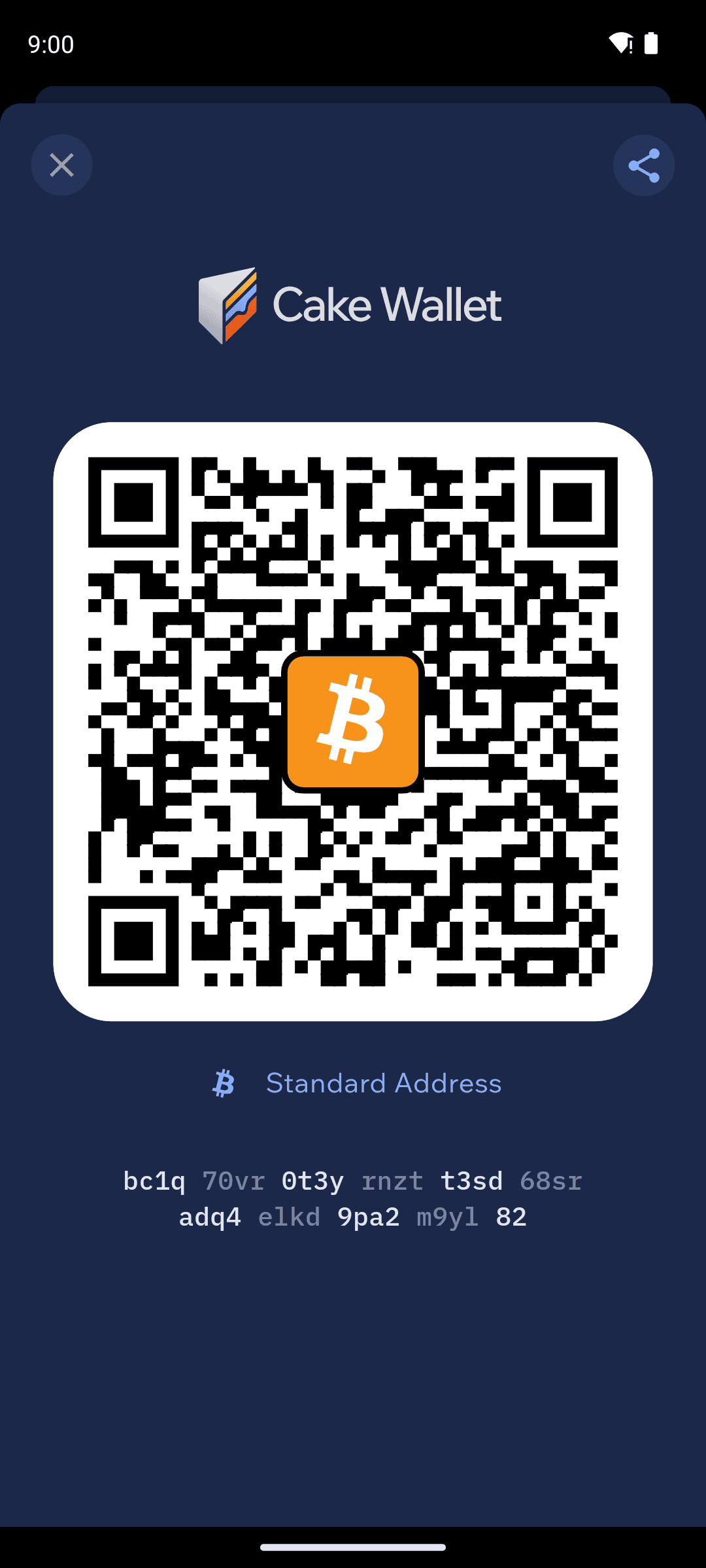
Tip: tap the QR code to enlarge it. You get a full-screen, Cake-branded version that's easier to scan from another phone — and a cleaner visual if you want to screenshot or share your address.
Enlarged QR view after tapping the QR code
On Bitcoin-family and Monero wallets, your receive address rotates after each payment for better privacy. Old addresses keep working forever — rotation just means new payments get fresh addresses.
Bitcoin: pick your address type
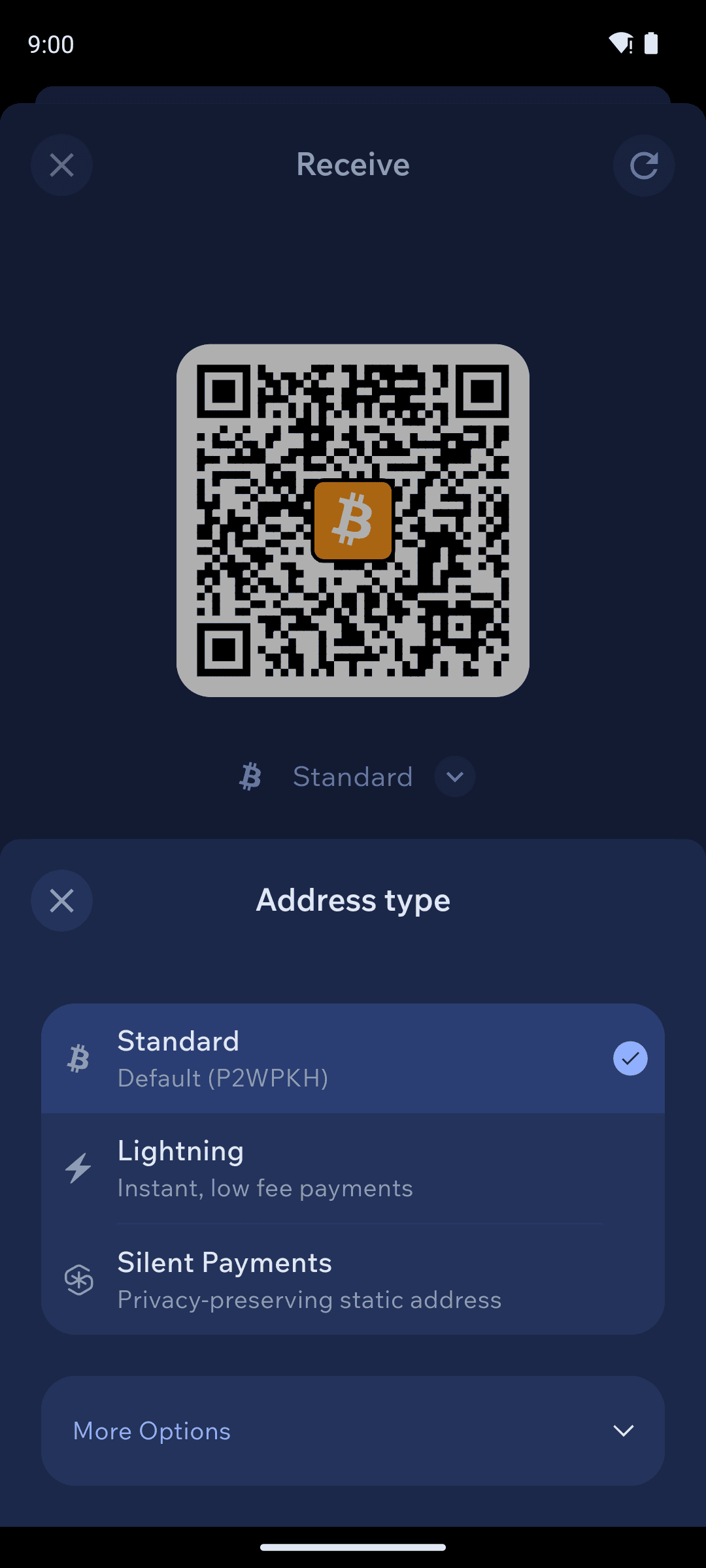
Bitcoin wallets have several address types. Tap the type shown under the QR code to switch:
Standard — the default (SegWit/P2WPKH, starts with bc1q). Right for almost every payment.
Lightning — instant, near-free payments via your @cake.cash address. See Lightning.
Silent Payments — a static sp1 address you can post publicly; every payment lands at a fresh on-chain address. See Silent Payments.
More Options — legacy and specialty types (Taproot, P2SH, and others) for compatibility with older services.
Bitcoin address type sheet
Litecoin: Standard and Private
Litecoin wallets offer Standard (ltc1) and Private — your MWEB address (ltcmweb1), where amounts and addresses are confidential. See Litecoin MWEB.
Monero: accounts and subaddresses
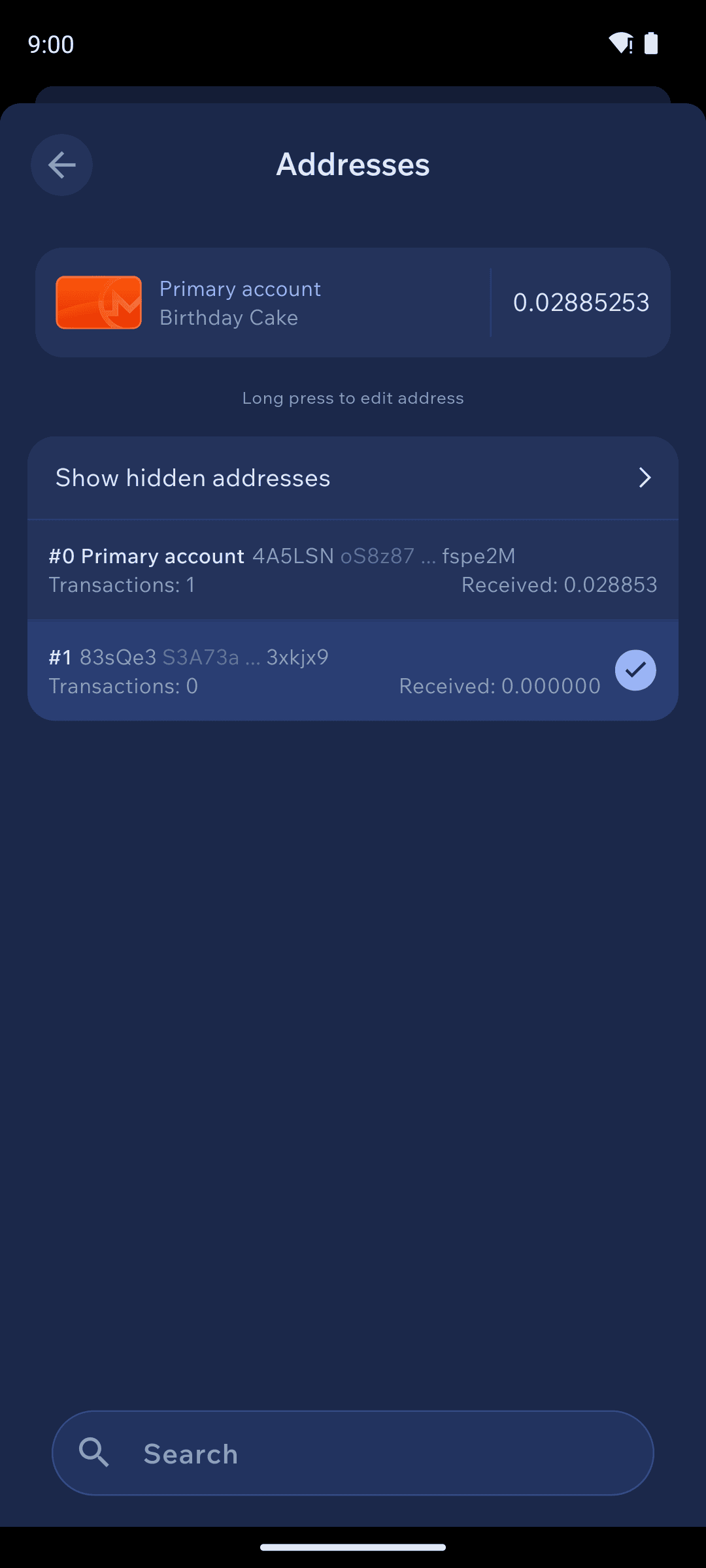
Monero wallets organize addresses into accounts (separate buckets with their own balances) containing subaddresses (fresh receive addresses, generated automatically). Tap Addresses on the Receive screen to browse them — each shows how many payments it has received. Long-press an address to label it.
Monero addresses view with account and subaddresses
To rename an account or change its card color, tap the ⋮ menu on the home screen balance card and choose Edit Account.
Ethereum, Solana, Tron and tokens: one address per chain
These wallets use a single address that never changes (Ethereum-family addresses start with 0x). The same address receives the native coin and every token on that chain — the receive screen reminds you of exactly that.
Ethereum receive screen with 0x address
When receiving tokens, make sure the sender uses the right network. USDT on Tron sent to an Ethereum address (or vice versa) will not arrive — the address format alone doesn't guarantee the network matches.