For the complete documentation index, see llms.txt. This page is also available as Markdown.
AnyPay
You have Monero. The person you owe wants Bitcoin. Normally you would switch wallets, or ask them for a different address. AnyPay removes that friction: pay any supported address using whatever coin you already hold. The conversion happens under the hood.
How it works
When you paste or scan a payment address, Cake Wallet detects which coin it belongs to. If it doesn't match your current wallet, AnyPay offers to swap your holdings into the coin the recipient wants and complete the payment in one flow — or, if you already have a wallet in that coin, to switch to it instead.
You approve the conversion and the send together. No manual wallet juggling.
Using AnyPay
1
Paste the address in Send
On any wallet, tap Send and paste (or scan) the recipient's address.
Send screen with a pasted address for another coin
2
Choose switch or swap
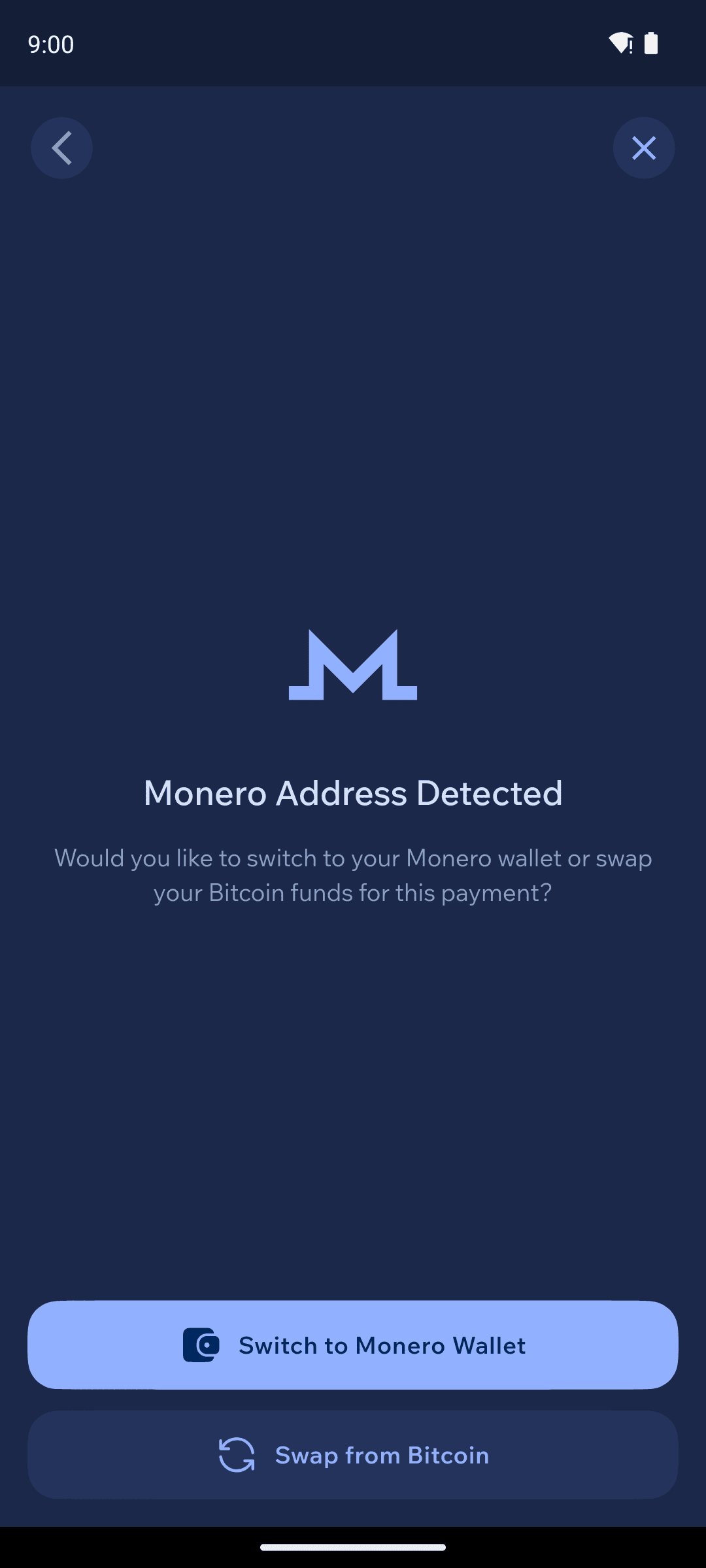
Cake Wallet detects the address is for a different coin and asks what to do. Here, a Monero address pasted into a Bitcoin wallet shows "Monero Address Detected" with two choices: Switch to Monero Wallet (use a Monero wallet you already have) or Swap from Bitcoin (convert your BTC to XMR for this payment).
If you have more than one Monero wallet, switching first asks which one to use. If you have no Monero wallet at all, swapping is the only option offered.
AnyPay page offering Switch to Monero Wallet or Swap from Bitcoin
3
Review and confirm
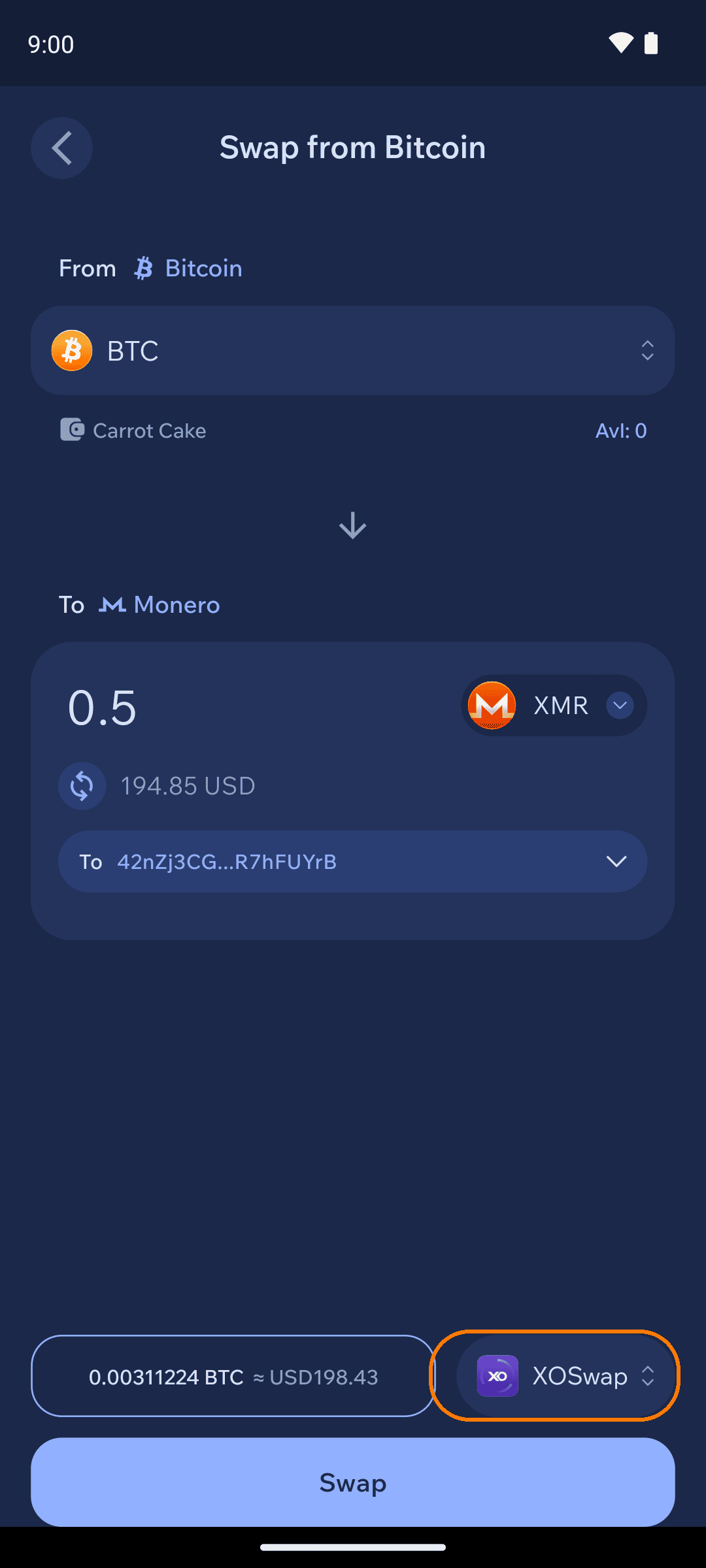
If you swap, the Swap screen opens with the recipient already set as the destination and the amount they need locked in. Change the coin you fund the payment with under From, or tap the provider in the footer to pick a different one. Review the amount and rate, then continue to complete the swap and the payment together.
Swap from Bitcoin screen with the provider selector highlighted
Paying an EVM address
An address that starts with 0x is valid on Ethereum, Polygon, Base, Arbitrum, BNB Smart Chain and every other EVM chain, so the address alone doesn't say which network the recipient wants.
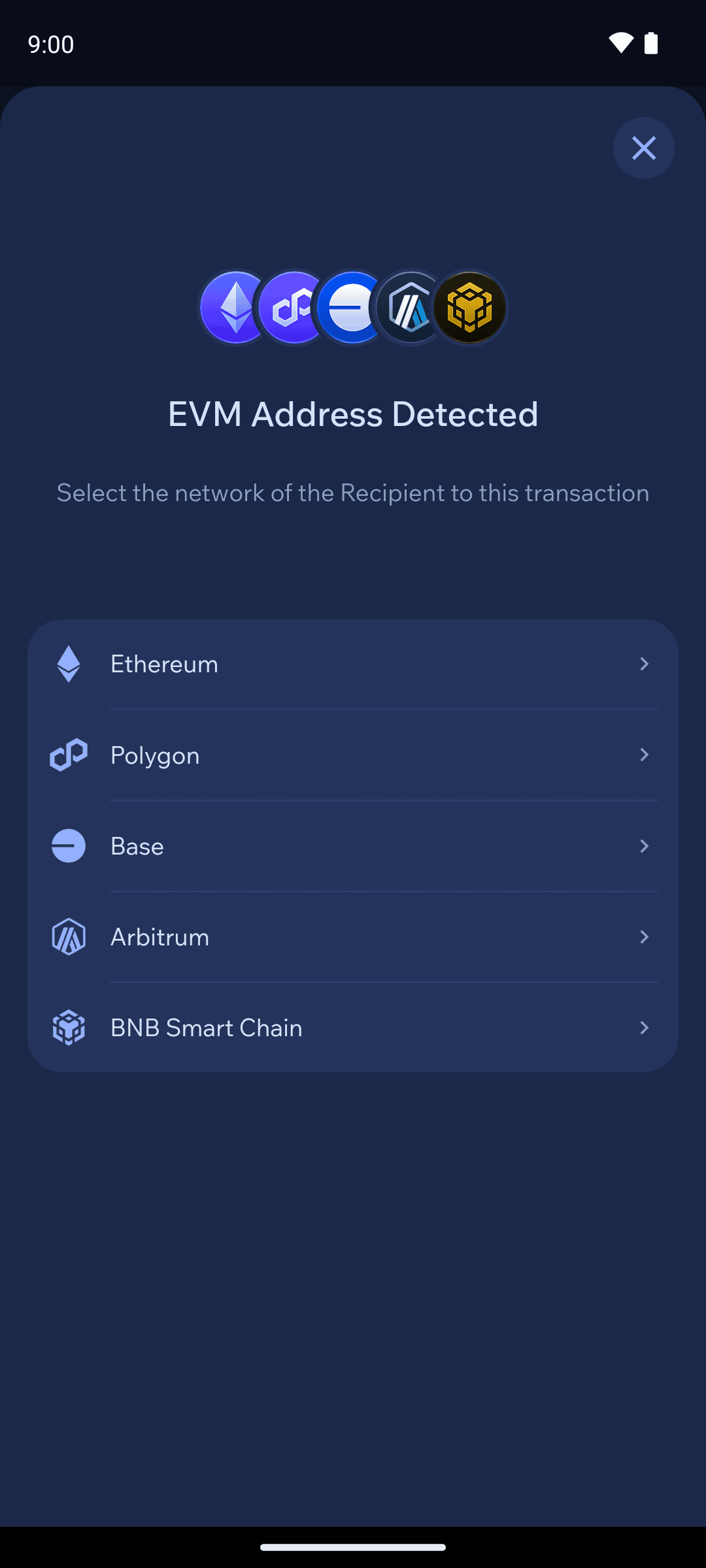
Paste one into a non-EVM wallet and Cake Wallet asks first: EVM Address Detected — pick the recipient's network, then switch or swap as above.
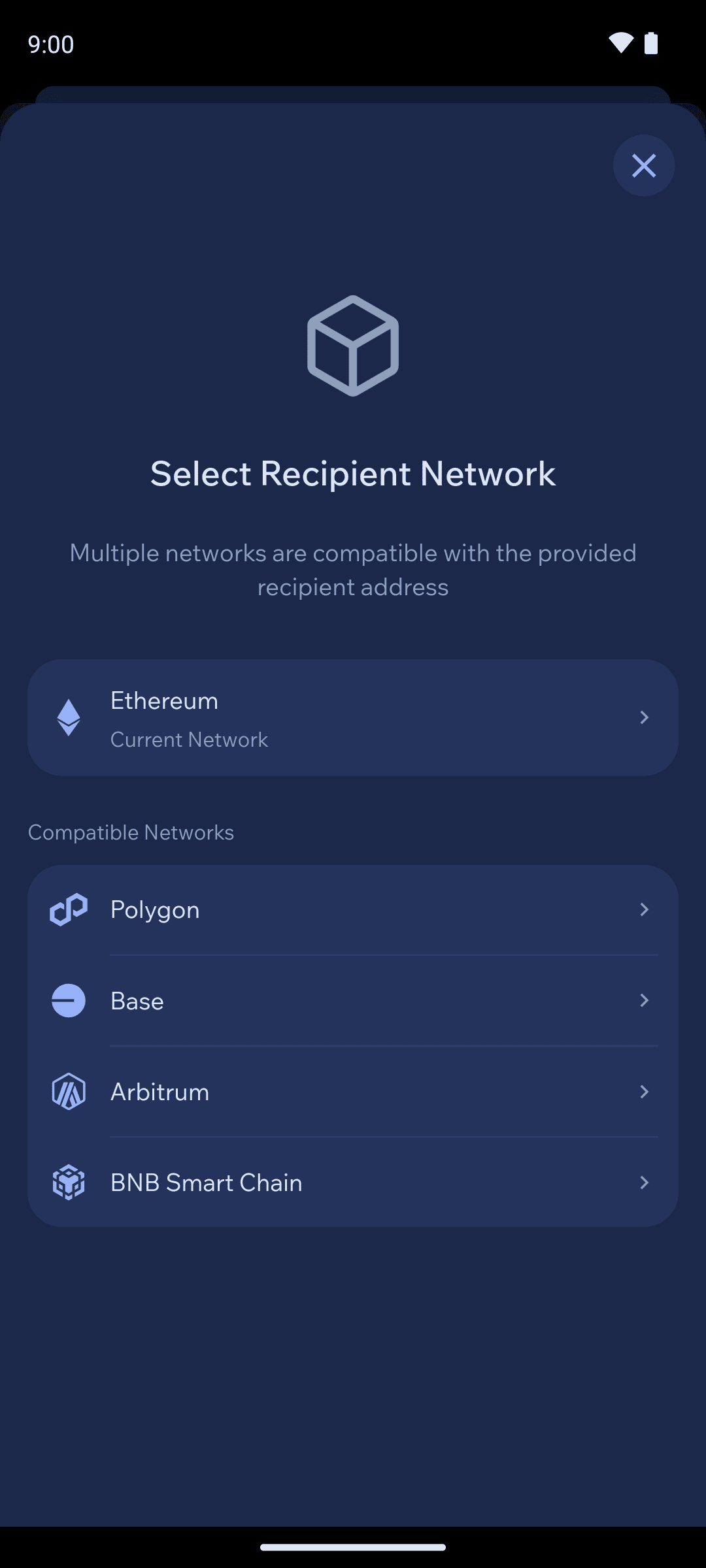
In an EVM wallet, the Send screen shows the recipient's network under the address as on Ethereum. Tap it to change networks: your current network is listed first, with the other compatible networks below.
The EVM Address Detected network selection
The Select Recipient Network sheet in an EVM wallet
Payment links carry the network and token with them, so those are filled in for you. If a link asks for a chain or token Cake Wallet doesn't support, it tells you instead of sending to the wrong place.
Always confirm the network with the recipient. Funds sent on a chain the recipient isn't watching can be lost.
What to expect on rates and fees
The conversion runs through Cake Wallet's swap providers — the same ones behind the Swap feature. That means:
Fixed-amount swaps are always used to ensure that the recipient gets exactly the amount of crypto they need.
A swap fee applies on top of the network fee for the send.
Coverage depends on which swap pairs the providers support, and swaps have minimum amounts.
We recommend reviewing the quoted rate and fee before you approve.
Both coins — the one you hold and the one the recipient wants — must be supported in Cake Wallet for AnyPay to work right now, but we'll be expanding sending support to all cryptocurrencies our swap partners support very soon.
Which coins can fund a payment
Any coin you can swap in Cake Wallet can fund an AnyPay payment. In practice the address detector recognizes Bitcoin, Litecoin, Monero, Ethereum and other EVM chains, Solana, and Tron. For an 0x recipient you also choose the network, since the same address exists on every EVM chain.