For the complete documentation index, see llms.txt. This page is also available as Markdown.
Swap
Swap converts one cryptocurrency into another right inside Cake Wallet — Bitcoin to Monero, Lightning sats to a stablecoin, anything to anything the providers support. No exchange account, no deposit-withdraw dance: pick a pair, review the rate, swipe.
1
Pick what you're sending and receiving
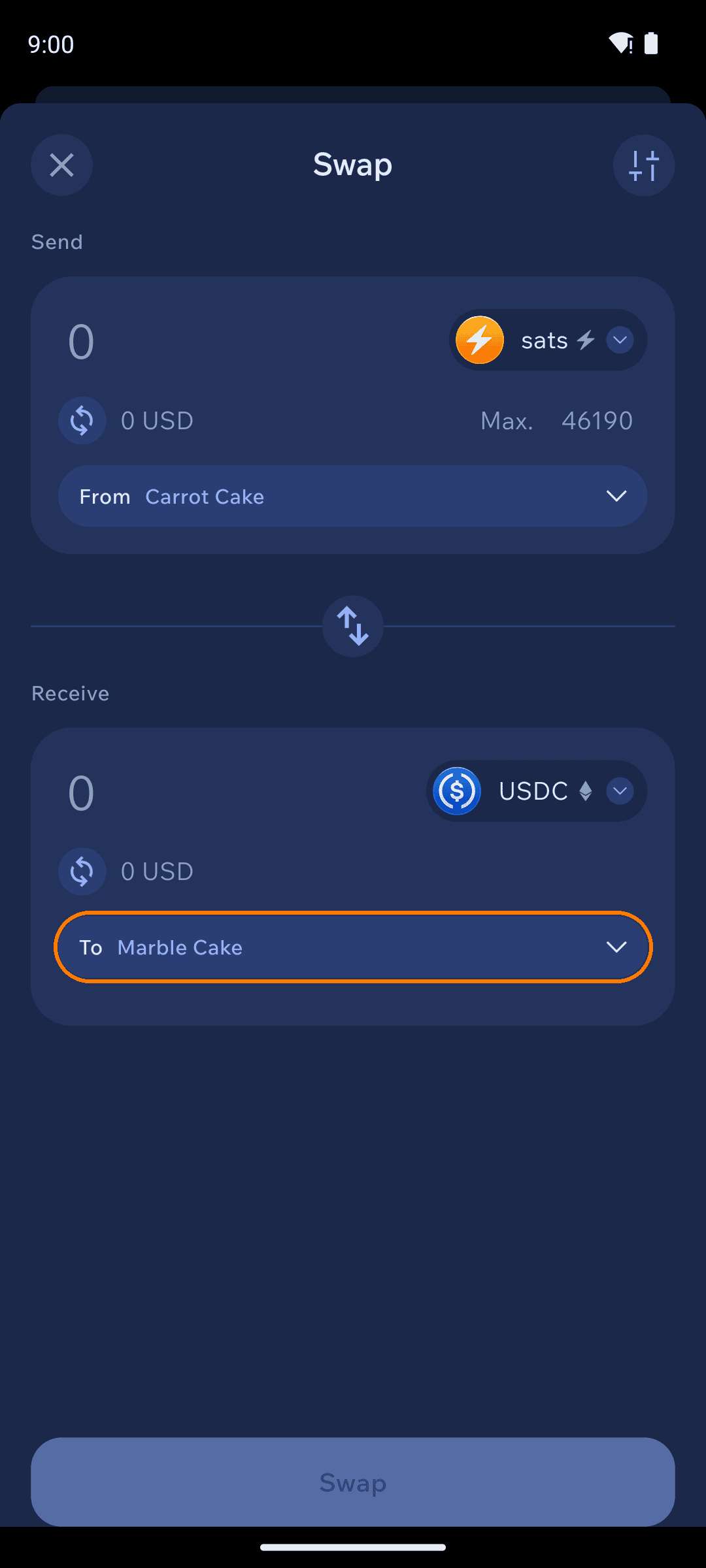
Tap Swap on the home screen. Set Send to the asset and wallet the funds come from, and Receive to what you want back. Multi-network assets like USDC ask you to pick the network; assets with special forms — like Bitcoin's Lightning balance — appear as their own entries.
Swap configured from Lightning sats to USDC on Ethereum
The receiver defaults to your own matching wallet — Select Receiver lets you pick another of your wallets or an external address.
2
Review the quote
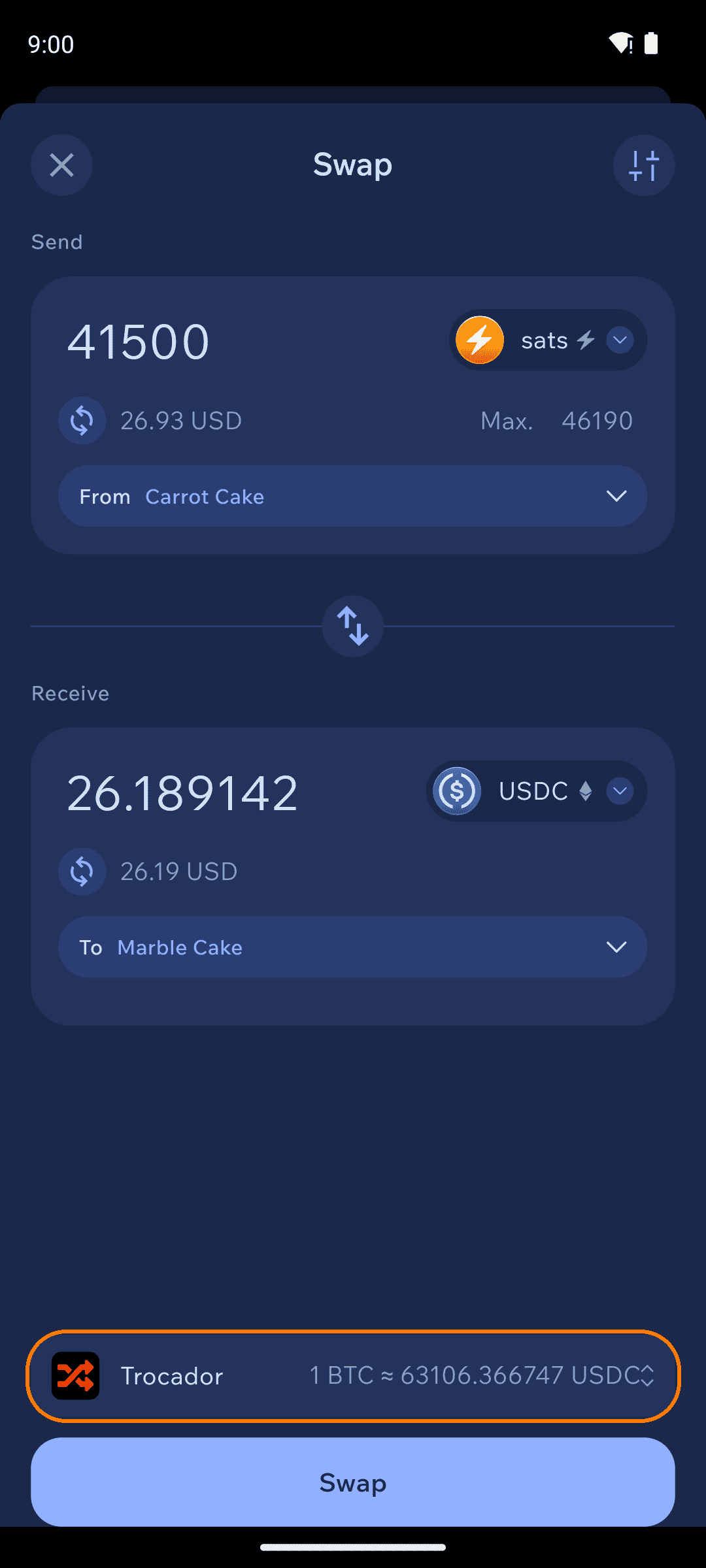
Enter an amount and Cake Wallet finds the best rate across its swap providers, showing the estimated amount you'll receive and which provider is quoting it.
Swap quote with provider and rate
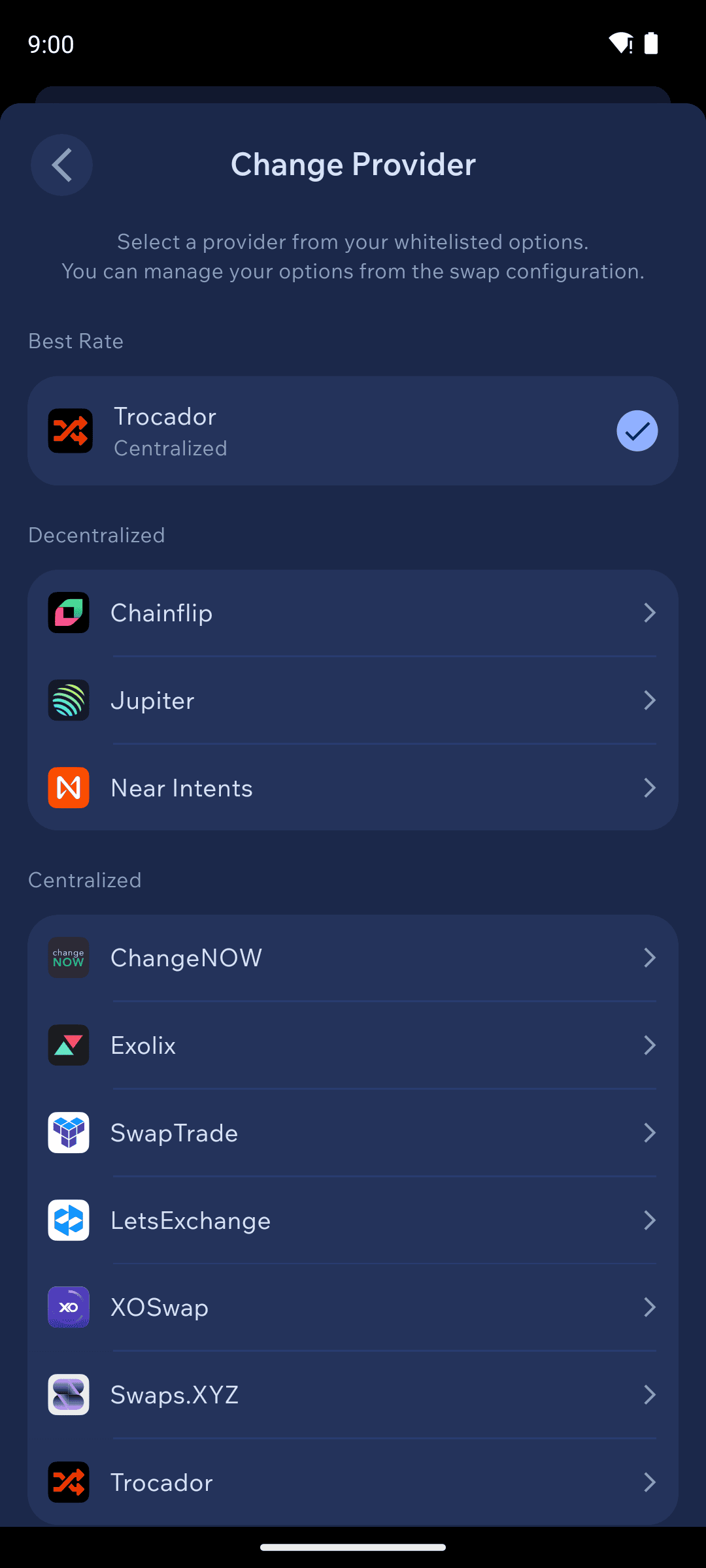
Want a different provider? Tap the provider bar. Best Rate is the default preference; you can also stick to decentralized providers (Chainflip, Jupiter, Near Intents) or pick a specific one. Trocador acts as an aggregator that routes your trade to whichever exchange offers the best terms.
Provider selection screen
The swap Configure screen (sliders icon) also offers a Fixed rate toggle: floating-rate swaps are estimates that track the market until execution, while fixed-rate swaps lock the quoted amount in exchange for a slightly worse rate.
3
Confirm and send
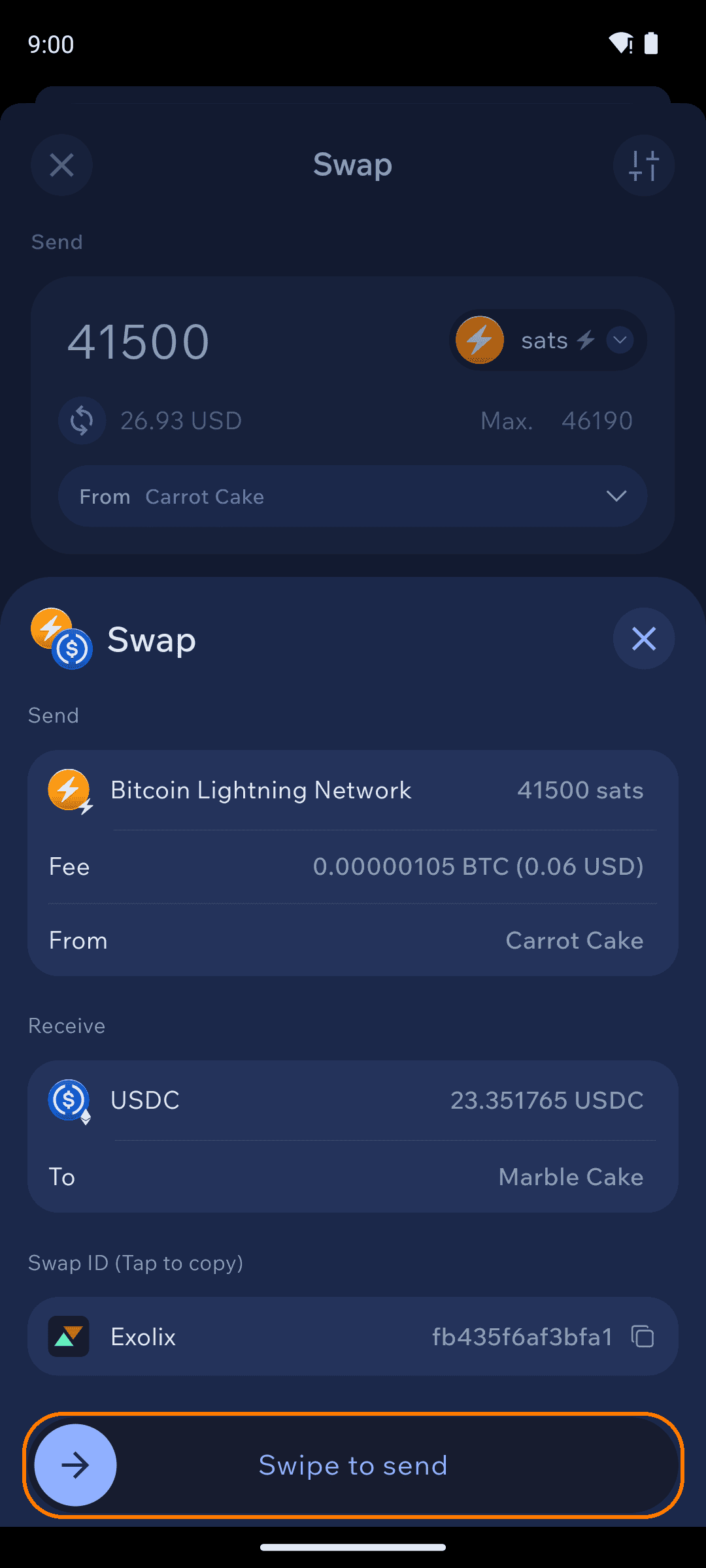
The confirmation sheet shows the exact amounts, your network fee, the destination wallet, and the Swap ID — the reference support teams use to find your trade. Check it over, then Swipe to send.
Swap confirmation with Swap ID
The final amount can differ a little from the first estimate — rates move between quoting and execution on floating-rate swaps, and provider fees settle at execution time. If you need the amount of crypto you receive to be an exact amount, use Fixed rate.
4
Track it
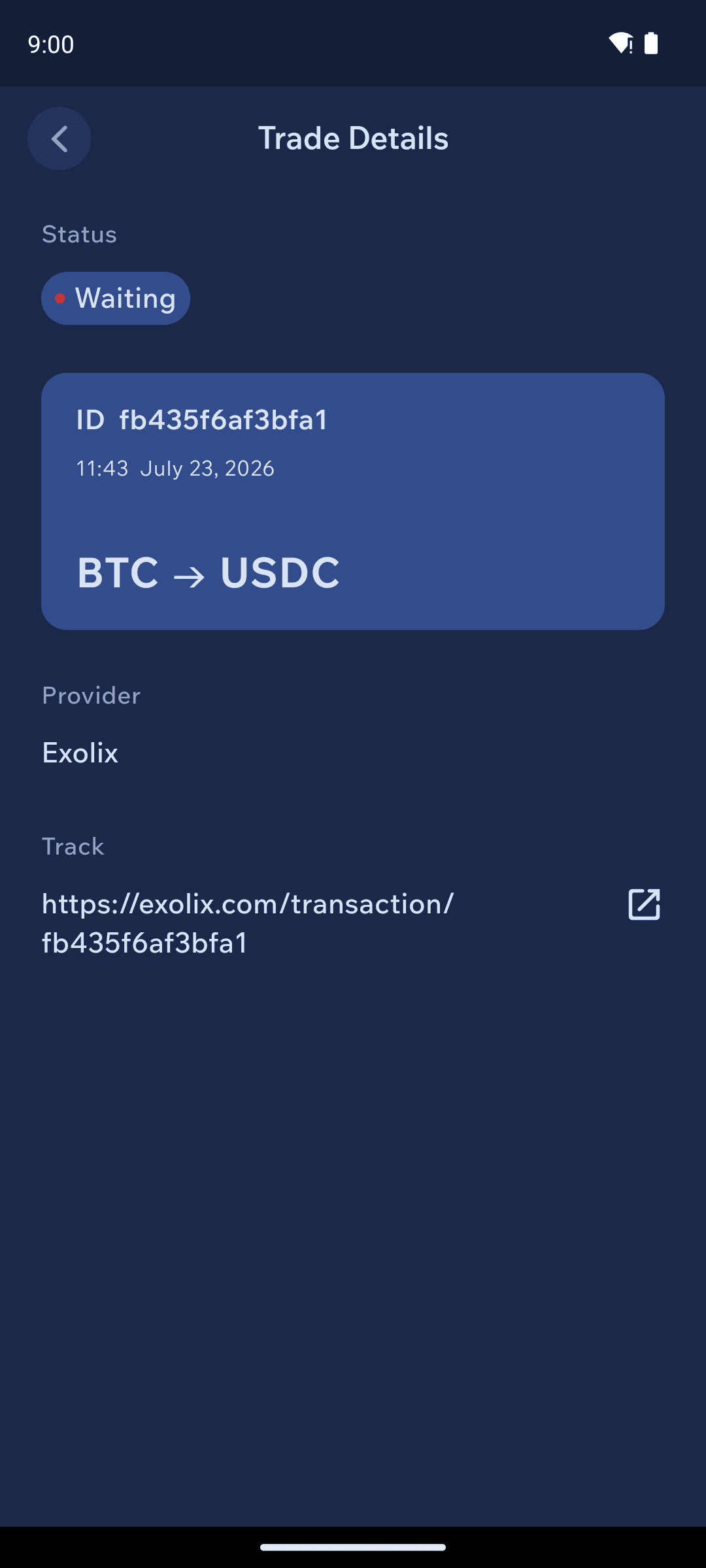
The trade appears in History and moves through statuses — Waiting → Sending → Success. Tap it for Trade Details: status, Swap ID, provider, and a tracking link on the provider's site. Most swaps complete in minutes; cross-chain pairs can take longer.
Trade details with status and Swap ID
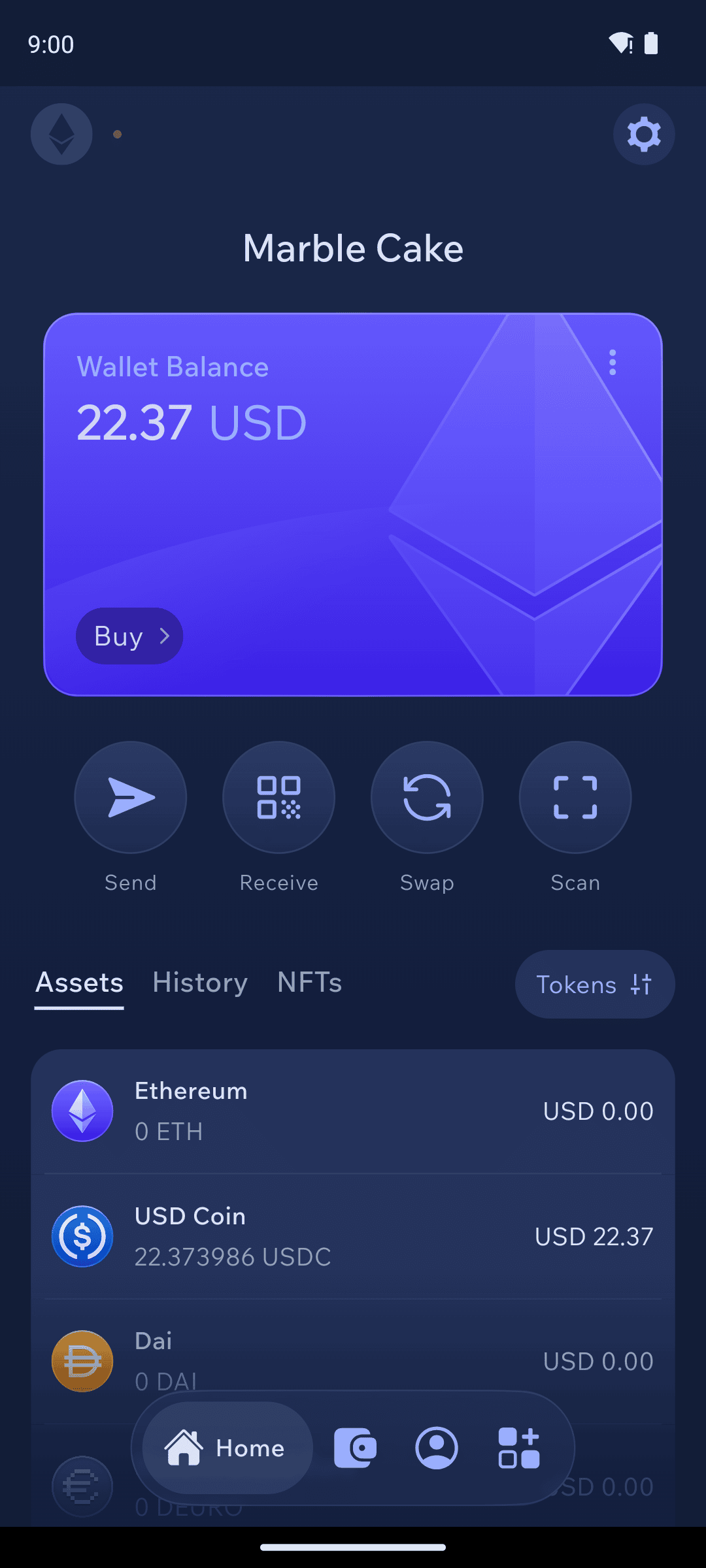
Received funds in the destination wallet
If something goes wrong
Save your Swap ID (also called Trade ID — glossary), note down the provider used, and contact Cake Wallet support first via the in-app chat or support@cakewallet.com — we'll contact the provider behind your trade if necessary and escalate for you. See Swap support for the full provider directory.
Related
Send funds — the same fee and confirmation concepts apply
Coin control — choose which outputs fund a swap (available from the swap Configure screen)